
DNS Record Types Explained: A, MX, TXT, CNAME and More
Read examples of A, AAAA, MX, CNAME, TXT, NS and other records, and choose the type that answers your question.
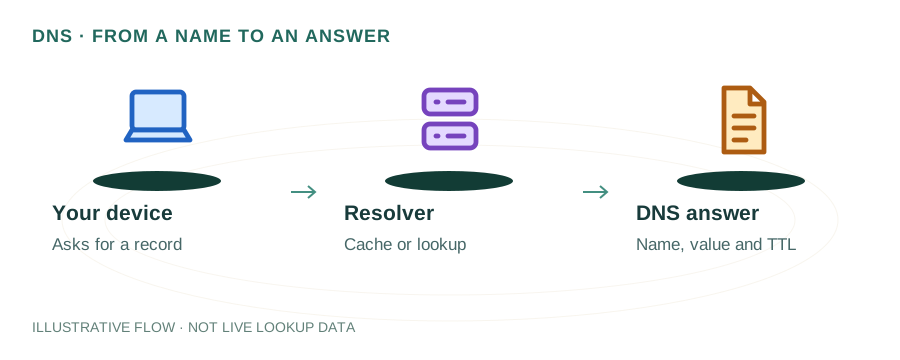
Read a DNS record as a name, a cache lifetime, a type and a value. The type decides what the value means. The examples below use documentation addresses; replace them with the values your service actually assigns.
Start with a complete record
example.com. 300 IN A 192.0.2.10Here example.com. is the queried name, 300 is TTL in seconds, IN is the Internet class, and A identifies an IPv4 address. A dot at the end marks an absolute DNS name. A control panel may display the same owner as @.
A and AAAA: website addresses
example.com. 300 IN A 192.0.2.10
example.com. 300 IN AAAA 2001:db8::10
A supplies an IPv4 address; AAAA supplies an IPv6 address. Compare both with your hosting configuration. Publishing IPv6 without a reachable IPv6 service can cause failures for some visitors. Neither answer verifies the web server or certificate.
Read the detailed explanation →
MX: incoming mail routing
example.com. 300 IN MX 10 mail.example.com.The lower preference number is tried first. Resolve the actual target hostname to an address before investigating SMTP. An external provider target does not require a separate mail.example.com record. A Null MX value of 0 . declares that the domain accepts no mail. If MX is absent, SMTP has an implicit address fallback; this is different from Null MX.
Read the detailed explanation →
CNAME: a hostname alias
www.example.com. 300 IN CNAME web.example.net.The target is a hostname, not an IP or URL. Follow it to its address records. A CNAME cannot coexist with ordinary records at the same owner, so it conflicts with SOA and NS at a zone apex. Provider-specific flattening features have their own behavior.
Read the detailed explanation →
TXT: verification and mail policies
example.com. 300 IN TXT "provider-verification=example-token"Keep different TXT purposes separate. Multiple unrelated TXT records can be normal; multiple SPF policies at one owner are an error. A provider may require a specific subdomain such as _dmarc rather than the root name.
Read the detailed explanation →
NS and SOA: zone responsibility
example.com. 86400 IN NS ns1.example.net.NS names the authoritative servers. Check the parent delegation as well as the zone itself when changing providers. SOA contains the zone serial and timing information. Its administrative mailbox notation is DNS syntax, not a web address. Update records at the provider that currently answers authoritatively.
Read the detailed explanation →
PTR: an address back to a name
10.2.0.192.in-addr.arpa. 300 IN PTR mail.example.com.Reverse DNS is normally controlled by the IP provider. Adding a PTR to your ordinary forward zone will not necessarily publish it in the relevant reverse zone. For mail diagnostics, compare the returned hostname with its forward address.
Read the detailed explanation →
SRV: a service endpoint
_sip._tcp.example.com. 300 IN SRV 10 20 5060 sip.example.com.SRV supplies priority, weight, port and target. The application must support service discovery; a normal browser does not automatically use arbitrary SRV records. Our homepage cannot guess every possible service label.
Read the detailed explanation →
CAA: certificate issuance permission
example.com. 300 IN CAA 0 issue "letsencrypt.org"CAA restricts issuance by certificate authorities. Check the domain and relevant parent policy when issuance is refused. This record does not install a certificate, prove that HTTPS works, or cancel an existing certificate.
Read the detailed explanation →
DS and DNSKEY: DNSSEC material
Parent zone: DS digest → child zone: DNSKEY → signed recordsA DS in the parent connects a delegation to a signing key. DNSKEY and RRSIG records supply key and signature material. Seeing these records does not establish that the complete trust chain validates. A stale parent DS can produce SERVFAIL at validating resolvers.
Read the detailed explanation →
Verify a change
- Keep a copy of the previous value and identify the active DNS provider.
- Query the exact hostname and type, including www or a provider’s verification label when required.
- Compare the authoritative answer with public resolver results and their remaining TTL.
- Test the actual website or mail service separately.
References: DNS record formats, SMTP routing, Null MX. Use the DNS lookup to inspect your domain.