
How to Set Up a PTR Record: Reverse DNS Configuration Guide
Request reverse DNS from your IP provider, configure a mail-server hostname and compare its PTR with forward address records.
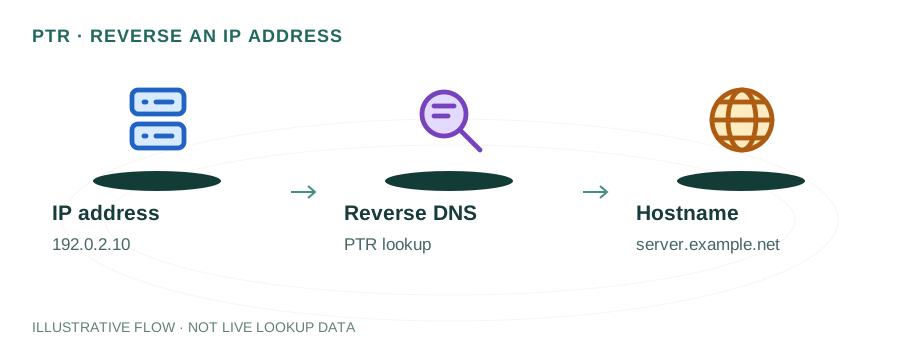
The named scenario below is a worked example for learning, not a verified incident report. Provider settings and outcomes vary.
PTR Record Configuration Flow
Note your IP address
Request PTR delegation
Add reverse DNS entry
dig -x your.ip
Forward-confirm reverse
PTR properly configured
🎯 Illustrative example: Tanvi Sets Up PTR for Her VPS Mail Server
Tanvi runs Postfix on a DigitalOcean droplet. Gmail rejects her emails because there's no PTR record:
Gmail rejects: 550 no PTR record
Tanvi's server IP 159.89.x.x has no reverse DNS entry. Gmail requires valid PTR for all sending IPs.
Sets hostname on droplet
Sets server hostname to mail.tanvi.com using hostnamectl.
Configures PTR in DigitalOcean
DigitalOcean → Networking → rename droplet to mail.tanvi.com. This automatically sets the PTR record.
Creates matching A record
Adds A record: mail.tanvi.com → 159.89.x.x in her DNS panel. Forward and reverse now match.
Verifies with dig -x
dig -x 159.89.x.x → returns mail.tanvi.com. FCrDNS (Forward-Confirmed Reverse DNS) is valid.
Gmail accepts email
Sends test email — Gmail headers show no PTR error. Email lands in inbox with spf=pass.
Valid PTR record + FCrDNS = Gmail, Outlook, Yahoo all accept her mail server.
Most VPS providers set PTR to something like 159-89-x-x.provider.com — this won't match your domain.
What is a PTR Record?
A PTR (Pointer) record is the reverse of an A record. While an A record maps a domain name to an IP address, a PTR record maps an IP address back to a hostname. This process is called reverse DNS (rDNS).
PTR records are stored in a special DNS zone called the in-addr.arpa zone (for IPv4) or ip6.arpa (for IPv6). The IP address is reversed and appended with .in-addr.arpa to form the record name.
Example
IP: 93.184.216.34
PTR record name: 34.216.184.93.in-addr.arpa
PTR value: mail.example.com
Why PTR Records Matter for Email
Email servers heavily rely on reverse DNS. Here's what happens when your server sends an email:
1. Connection Check
The receiving server sees your IP and performs a reverse DNS lookup to find the PTR record.
2. FCrDNS Verification
Forward-Confirmed reverse DNS (FCrDNS): The server then does a forward lookup on the PTR hostname to check if it resolves back to the original IP. Both directions must match.
3. Accept or Reject
If there's no PTR record, or if FCrDNS fails, many servers (including Gmail and Outlook) will reject the email or score it heavily as spam.
How to Set Up a PTR Record
Unlike A or MX records, you cannot create PTR records at your domain registrar. PTR records must be configured by the owner of the IP address — your hosting or VPS provider.
AWS (EC2 / Lightsail)
Assign an Elastic IP → Submit an rDNS request through the AWS console or support. AWS requires the PTR hostname to have a matching A record.
DigitalOcean
Name your Droplet with the fully qualified domain name (e.g., mail.example.com). DigitalOcean automatically creates a PTR record matching the Droplet name.
Hetzner / Vultr / Linode
Go to your server's Networking or IP settings panel. There's usually a "Reverse DNS" or "PTR" field where you enter the desired hostname.
Dedicated Server / ISP
Contact your provider's support team and request a PTR record for your IP. Provide the IP address and desired hostname.
⚠️ Important: Create the A record FIRST
Before requesting a PTR record, make sure the hostname (e.g., mail.example.com) has an A record pointing to the same IP. Many providers verify this before creating the PTR.
Verifying Your PTR Record
Using dig
dig -x 93.184.216.34 +short
Should return: mail.example.com.
Using nslookup
nslookup 93.184.216.34
Verify FCrDNS (both directions)
# Step 1: Reverse lookup
dig -x 93.184.216.34 +short
# Returns: mail.example.com.

# Step 2: Forward lookup
dig A mail.example.com +short
# Should return: 93.184.216.34
Common PTR Record Mistakes
Generic ISP hostname — PTR records like host-93-184-216-34.example-isp.com scream "residential IP." Set a proper hostname matching your domain.
FCrDNS mismatch — The PTR hostname doesn't resolve back to the original IP. Both forward and reverse must match.
Missing PTR entirely — Many VPS providers don't set PTR records by default. Gmail will likely reject your emails without one.
Using the root domain — Set PTR to mail.example.com, not example.com. The PTR should identify the mail server specifically.
Complete Email DNS Checklist
For reliable email delivery, ensure all these DNS records are properly configured:
Frequently Asked Questions
What is a PTR record?
A DNS record that maps an IP address to a hostname (reverse of an A record). Essential for email servers and security verification.
Can I create a PTR record in my domain's DNS?
No. PTR records are managed by the IP owner (your hosting/VPS provider), not your domain registrar. Contact your provider to set it up.
What is FCrDNS?
Forward-Confirmed reverse DNS — the PTR hostname resolves back to the original IP. Both forward and reverse must match for full verification.
Related Articles & Tools
Reverse DNS Explained
What rDNS is and why it matters
Email Bounce Types
Hard vs soft bounces explained
DNS Lookup Tool
Check your domain's DNS records
Blacklist Checker
Check if your IP is blacklisted