
CNAME vs A Record: Differences & When to Use Each
Compare an A address record with a CNAME hostname alias, including apex restrictions and common website configuration mistakes.
The named scenario below is a worked example for learning, not a verified incident report. Provider settings and outcomes vary.
A Record vs CNAME Resolution
Browser asks for IP
Resolver queries DNS
Direct IP → 93.184.216.34
Alias → cdn.example.com
Resolve CNAME target
Returns resolved address
🎯 Illustrative example: Sanya's CDN Setup Fails
Sanya tries to point her root domain (example.com) to a CDN using a CNAME record — and everything breaks:
CDN gives her a hostname
Cloudfront gives: d1234.cloudfront.net. Sanya needs to point her domain there.
Creates CNAME for root domain
Sets example.com → d1234.cloudfront.net as a CNAME record.
Email and other records break
RFC says: CNAME at root conflicts with MX, TXT, NS records. Email stops, SPF breaks.
Diagnosis
A CNAME at the zone apex makes ALL other record types invalid for that name.
Fix: Use A record or ALIAS
For root domain: use A record pointing to CDN's IP, or use provider's ALIAS/ANAME record (if supported).
www subdomain uses CNAME
www.example.com CNAME → d1234.cloudfront.net works perfectly. Root domain uses A/ALIAS.
Root domain → A/ALIAS record. Subdomains → CNAME. Both work without conflicts.
CNAME at root domain broke MX records (no email) and SPF (failed authentication).
What is an A Record?
An A record (Address record) maps a domain name directly to an IPv4 address. It's the most basic DNS record type and the foundation of how domain names resolve to servers.
Example:
example.com. 300 IN A 93.184.216.34When a browser requests example.com, the DNS resolver returns the IP address 93.184.216.34 directly. No further DNS lookups are needed. For IPv6, you'd use an AAAA record instead.
What is a CNAME Record?
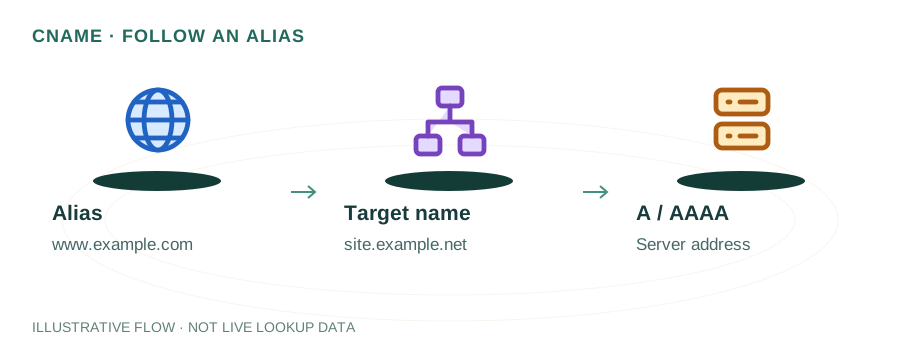
A CNAME record (Canonical Name record) maps one domain name to another domain name — creating an alias. The DNS resolver must then look up the target domain to find the final IP address.
Example:
www.example.com. 300 IN CNAME example.com.example.com. 300 IN A 93.184.216.34Here, www.example.com is an alias for example.com. The resolver first gets the CNAME, then follows it to get the A record. This chain adds one extra lookup but means you only need to update the IP in one place.
Side-by-Side Comparison
| Feature | A Record | CNAME Record |
|---|---|---|
| Points to | IPv4 address | Another domain name |
| Root domain | ✓ Allowed | ✗ Not allowed |
| Subdomains | ✓ Allowed | ✓ Allowed |
| Coexists with MX/TXT | ✓ Yes | ✗ No |
| Extra DNS lookup | No | Yes (follows alias) |
| Best for | Root domain, direct hosting | Subdomains, CDNs, SaaS |
When to Use Each
Use an A record when:
- You're pointing your root domain (example.com) to a server
- You know the static IP address of your server
- You need the domain to coexist with MX records (for email)
- You're self-hosting on a VPS or dedicated server with a fixed IP
Use a CNAME record when:
- You're pointing a subdomain (www, blog, app) to another service
- You're using a CDN like Cloudflare, Fastly, or CloudFront
- You're connecting to a SaaS platform (Shopify, GitHub Pages, Heroku)
- The target IP might change and you want automatic updates
Common Mistakes
- CNAME on the root domain. Adding a CNAME at
example.com(the zone apex) breaks email delivery because CNAME records cannot coexist with MX records. Use an A record for the root domain, or check if your DNS provider offers an ALIAS/ANAME record as a workaround. - CNAME chains. Pointing a CNAME to another CNAME creates a chain that adds latency and can break if any link in the chain fails. Keep CNAME targets as direct as possible — ideally pointing to a domain with an A record.
- Mixing CNAME with other records. A CNAME record at a given name means no other record types (A, MX, TXT) can exist at that same name. This catches people off guard when trying to add SPF or verification TXT records on a CNAME subdomain.
What About ALIAS and ANAME Records?
Some DNS providers (Cloudflare, Route 53, DNSimple) offer proprietary ALIAS or ANAME records that behave like a CNAME but work at the root domain. Under the hood, the DNS provider resolves the target domain and returns the IP address directly — giving you the flexibility of a CNAME with the compatibility of an A record. These are not part of the official DNS standard, but they solve a real problem.
Frequently Asked Questions
What is the difference between a CNAME and an A record?
An A record maps a domain directly to an IPv4 address. A CNAME maps a domain to another domain name (an alias). The CNAME must be resolved further to find the final IP. Use A records for root domains and CNAME records for subdomains pointing to external services.
Can I use a CNAME on the root domain?
No. The DNS specification prohibits CNAME records at the zone apex because a CNAME cannot coexist with other record types like MX or TXT. Some providers offer ALIAS or ANAME records as a workaround, but these are non-standard extensions.
Which is faster, CNAME or A record?
A records are marginally faster because they resolve directly to an IP without an extra lookup. CNAME records add one additional DNS resolution step. In practice, the difference is usually 1-5ms and negligible for most use cases.