
NS Record Explained: How DNS Nameserver Records Work
Understand NS delegation and authoritative nameservers, including how parent and child-zone records can become inconsistent.
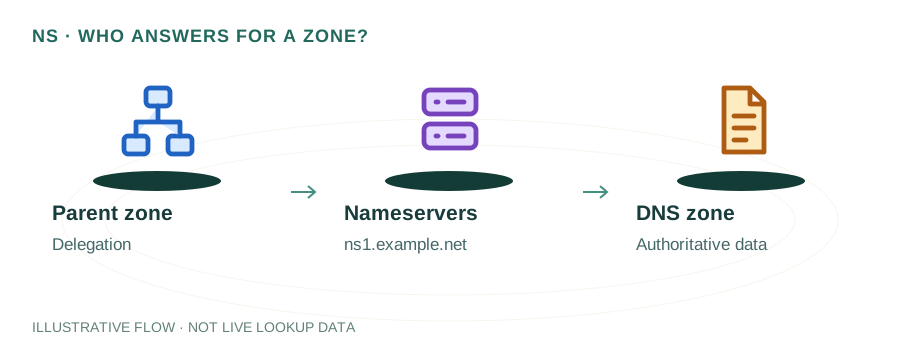
The named scenario below is a worked example for learning, not a verified incident report. Provider settings and outcomes vary.
NS Record Delegation Flow
Knows TLD servers
Knows domain NS
ns1.example.com
Hosts zone records
A, MX, TXT, etc.
Returns requested data
🎯 Illustrative example: Tara's Domain Loses DNS Due to Expired NS
Tara's website goes down because her nameserver provider expired and her NS records point to dead servers:
Normal: NS records point to active servers
tara.com NS → ns1.dnshost.com, ns2.dnshost.com. These servers answer all DNS queries.
DNS hosting account expires
Tara forgot to renew her DNS hosting. The provider deletes her zone after 30 days.
NS records still point to dead servers
Domain registrar still has NS = ns1.dnshost.com. But those servers no longer have her records.
All DNS queries return SERVFAIL
Website, email, everything stops working. The nameservers exist but refuse queries for her domain.
Fix: Update NS at registrar
Tara signs up with new DNS host, recreates all records, then updates NS at her registrar.
Domain comes back after propagation
NS propagation takes 24-48 hours. Site and email gradually come back online worldwide.
Always keep your DNS hosting active and set renewal reminders.
Expired DNS hosting = complete domain blackout. Website, email, everything stops.
What is an NS Record?
An NS (Name Server) record is a DNS record that specifies which nameservers are authoritative for a domain or subdomain. It's the fundamental mechanism for DNS delegation — how the global DNS system knows where to find records for your domain.
example.com.  IN  NS  ns1.provider.com.
example.com.  IN  NS  ns2.provider.com.
How NS Records Work in DNS Resolution
When a resolver looks up example.com, it follows NS records down the DNS tree:
- Root servers → NS records point to
.comTLD servers - .com TLD servers → NS records point to
example.com's nameservers - example.com's nameservers → Return the requested A, MX, TXT, etc. records
This chain of NS records is what makes the DNS hierarchy work. Read more: How DNS Works
Delegation vs Authoritative NS Records
NS records exist in two places and both must match:
Delegation Records (at the registrar/parent zone)
These NS records are set at the TLD (e.g., .com) and tell resolvers where to find your domain's nameservers. You set these at your domain registrar.
Authoritative Records (in your zone file)
These NS records exist in your own zone file and confirm which nameservers are authoritative. They should match the delegation records.
How to Check NS Records
Using dig:
dig example.com NS +shortdig +trace example.com NSUsing nslookup:
nslookup -type=NS example.comOr use mydnsreport.com DNS Lookup to check NS records instantly.
Subdomain Delegation with NS Records
You can delegate a subdomain to different nameservers using NS records:
; Delegate dev.example.com to separate nameservers
dev.example.com.  IN  NS  ns1.devteam.com.
dev.example.com.  IN  NS  ns2.devteam.com.
This is common for organizations that want separate teams or providers to manage different subdomains independently.
Glue Records
When your nameservers are within your own domain (e.g., ns1.example.com for example.com), you have a chicken-and-egg problem. Glue records solve this by providing IP addresses directly in the parent zone:
; At the .com TLD
example.com.      NS   ns1.example.com.
example.com.      NS   ns2.example.com.
ns1.example.com.  A    192.0.2.1       ; ← glue record
ns2.example.com.  A    192.0.2.2       ; ← glue record
Common NS Record Mistakes
- Mismatched NS records — Delegation records at registrar don't match zone file NS records
- Single nameserver — Only one NS record provides no redundancy
- Lame delegation — NS points to a server that doesn't have the zone configured
- Missing glue records — Self-referential nameservers without glue cause resolution failures
Best Practices
- Use at least 2 nameservers (3-4 is ideal) for redundancy
- Place nameservers in different networks/locations for resilience
- Ensure delegation and authoritative NS records match
- Lower TTL before changing nameservers — see Nameserver Migration Guide
Frequently Asked Questions
What is an NS record?
An NS record delegates a domain to a set of authoritative nameservers, telling DNS resolvers which servers to query for the domain's records.
Can I have multiple NS records?
Yes, and you should. At least 2 NS records provide redundancy. Most setups use 2-4 nameservers.
What is the difference between NS records at the registrar and in the zone file?
Registrar NS records (delegation) tell the parent zone where to find your nameservers. Zone file NS records are authoritative declarations. Both must match.