
Email Authentication Guide - SPF, DKIM, DMARC Explained
See how SPF, DKIM and DMARC work together, what each check proves, and how to verify your published policies.
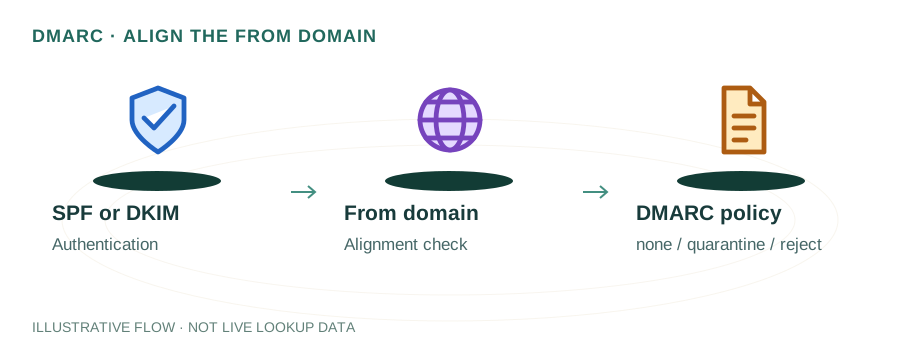
Three checks answer different questions
SPF authorizes sending infrastructure, DKIM verifies a domain signature, and DMARC connects successful authentication to the domain a recipient sees in the From header. None of these alone proves that a message is wanted or guarantees inbox placement.
| Check | Identity examined | Useful evidence |
|---|---|---|
| SPF | Envelope sender, or HELO in relevant cases | Sending IP and evaluated SPF domain |
| DKIM | Signing domain in d= | Signature result and selector in s= |
| DMARC | Visible From domain | Aligned SPF or DKIM pass |
Worked example: a newsletter service
Suppose a message displays From: news@example.com. The mailing service uses its own bounce domain, and SPF passes for that service domain. That SPF pass might not align with example.com. If the message also has a valid DKIM signature with d=example.com, that aligned DKIM pass can satisfy DMARC. Read the actual headers instead of treating any SPF pass as a DMARC pass.
Publish SPF from an inventory
List every system that sends using your envelope-sender domain: business mail, billing, website forms and newsletters. Follow each provider’s instructions and publish one SPF policy for that owner. SPF is a TXT record; its DNS-querying terms have evaluation limits. An excessive chain can produce permerror. Do not blindly flatten includes into a static IP list: provider address changes can make that list stale.
Trace the SPF lookup limit before removing a service or changing an enforcement mechanism.
Enable DKIM at the sending provider
The provider generates or accepts a private key and supplies a public DNS value. Publish the exact selector name and key, then enable signing where required. An abbreviated key shown in a tutorial is not a usable key. DNS availability alone does not mean outgoing messages are being signed.
Send a test message to an account you control and inspect its signature result. DKIM binds the signing domain to selected message content; it does not verify the personal identity of the author.
Introduce DMARC with evidence
_dmarc.example.com. 300 IN TXT "v=DMARC1; p=none; rua=mailto:reports@example.com"This illustrative policy requests monitoring reports. Use an address you control and understand the data sent in those reports. External reporting destinations may require authorization. Report availability and timing depend on the receiver.
Identify legitimate sources and fix alignment before considering quarantine or reject. A receiver can apply its own local policy. Test forwarding and mailing-list routes used by your organization rather than assuming direct-delivery results cover every path.
What the homepage can check
The lookup shows published TXT, derived SPF and _dmarc records. It does not evaluate every sender, validate a message signature or discover an unknown DKIM selector. Combine DNS evidence with received-message headers and your sending provider’s logs.
Continue with DKIM setup, alignment examples and DMARC report analysis. Protocol references: SPF, DKIM and DMARC.