
CAA Record Explained: DNS Certificate Authority Authorization
Read CAA issue and issuewild values, check certificate-authority permissions and diagnose issuance policy restrictions.
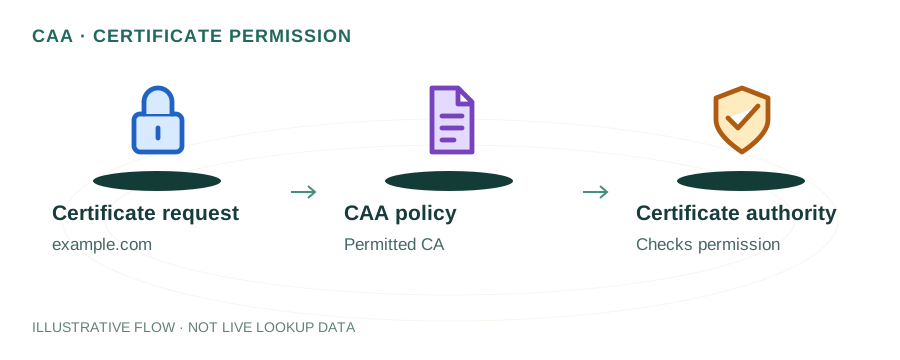
The named scenario below is a worked example for learning, not a verified incident report. Provider settings and outcomes vary.
CAA Record Validation Flow
CA receives cert order
Query domain's CAA
Allowed CAs listed?
Issue the certificate
Reject cert request
Unauthorized CAs blocked
🎯 Illustrative example: Mohit Blocks Unauthorized SSL Certificates
Mohit discovers someone got a valid SSL certificate for his domain from a CA he never used. He adds CAA records to prevent it:
Certificate Transparency log alert
Mohit gets an alert: a certificate for mohit.com was issued by CheapSSL CA. He never requested it.
Investigates the unauthorized cert
Someone exploited a domain validation vulnerability at CheapSSL to get a cert for his domain.
Adds CAA records to DNS
mohit.com CAA 0 issue 'letsencrypt.org' — ONLY Let's Encrypt can issue certs for his domain.
Adds iodef for alerts
mohit.com CAA 0 iodef 'mailto:security@mohit.com' — get notified if any CA is asked to issue a cert.
Unauthorized CA blocked
CheapSSL checks CAA before issuing → sees only letsencrypt.org is allowed → refuses to issue.
Domain is now protected
Only Let's Encrypt can issue SSL certs. Any other CA must refuse. Mohit gets alerts on attempts.
CAA records prevent any unauthorized CA from issuing certificates for your domain.
Without CAA, any of 100+ Certificate Authorities worldwide can issue a cert for your domain.
What is a CAA Record?
A CAA (Certificate Authority Authorization) record is a DNS record type defined in RFC 8659 that allows domain owners to specify which Certificate Authorities (CAs) are permitted to issue SSL/TLS certificates for their domain.
Since September 2017, all publicly trusted CAs are required to check CAA records before issuing a certificate. If a CAA record exists and the requesting CA is not listed, the CA must refuse to issue the certificate.
Why CAA Records Matter
Without CAA records, any of the hundreds of publicly trusted CAs can issue a certificate for your domain. This creates a risk surface:
- A compromised or rogue CA could issue unauthorized certificates
- An attacker who compromises domain validation could get certs from any CA
- CAA records restrict issuance to only the CAs you trust and use
- They add an extra layer of defense alongside Certificate Transparency (CT) logs
CAA Record Syntax
A CAA record has three fields:
example.com. IN CAA <flags> <tag> "<value>"0128issue— Authorizes a CA to issue standard certificatesissuewild— Authorizes a CA to issue wildcard certificatesiodef— Specifies a URL/email to receive violation reports
letsencrypt.orgCAA Record Examples
Allow only Let's Encrypt:
example.com.  CAA  0 issue "letsencrypt.org"
example.com.  CAA  0 issuewild "letsencrypt.org"
Allow DigiCert and report violations:
example.com.  CAA  0 issue "digicert.com"
example.com.  CAA  0 iodef "mailto:security@example.com"
Block all certificate issuance:
example.com. CAA 0 issue ";"
An empty value with a semicolon means no CA is authorized.
Common CA Values for CAA Records
| Certificate Authority | CAA Value |
|---|---|
| Let's Encrypt | letsencrypt.org |
| DigiCert | digicert.com |
| Comodo / Sectigo | comodoca.com |
| GlobalSign | globalsign.com |
| GoDaddy | godaddy.com |
| Amazon (ACM) | amazon.com |
| Google Trust Services | pki.goog |
How to Check CAA Records
Use command-line tools to query CAA records:
Using dig:
dig example.com CAA +shortUsing nslookup:
nslookup -type=CAA example.comUsing our DNS Lookup tool:
Use mydnsreport.com DNS Lookup to check CAA records for any domain instantly.
CAA Record Inheritance
CAA records follow a tree-climbing inheritance model. When a CA checks for CAA records on sub.example.com, it looks up the DNS tree:
sub.example.comexample.comcomIf a CAA record is found at any level, it applies. If none is found anywhere, any CA may issue. This means setting CAA on your apex domain covers all subdomains unless they have their own CAA records.
Best Practices
- Always set CAA records on your apex domain — they'll cover all subdomains
- Use the
iodeftag to receive reports of unauthorized issuance attempts - If using wildcard certs, set both
issueandissuewildtags - Combine CAA with Certificate Transparency monitoring for defense-in-depth
- Test CAA changes with
digbefore relying on them in production
Frequently Asked Questions
What is a CAA record in DNS?
A CAA record specifies which Certificate Authorities are allowed to issue SSL/TLS certificates for your domain. It's a security measure to prevent unauthorized certificate issuance.
What happens if no CAA record exists?
If no CAA record exists, any Certificate Authority can issue a certificate for your domain. Adding CAA records restricts issuance to only the CAs you authorize.
Do CAA records affect existing certificates?
No. CAA records only control new certificate issuance. Existing certificates remain valid regardless of CAA record changes.
Can I have multiple CAA records?
Yes. You can add multiple CAA records to authorize multiple CAs. For example, you might allow both Let's Encrypt and DigiCert.