
How DNS Works: A Step-by-Step Guide to Domain Name Resolution
Follow a DNS query from the browser and resolver through delegation to an authoritative answer, including where caching helps.
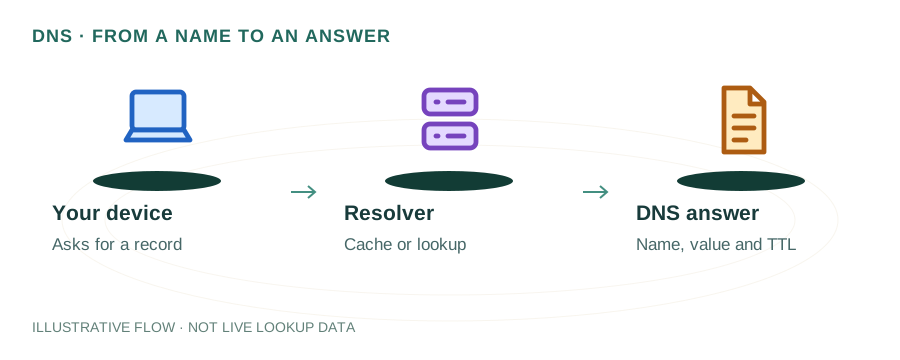
The named scenario below is a worked example for learning, not a verified incident report. Provider settings and outcomes vary.
DNS Resolution Step by Step
User types domain
Recursive DNS server
Points to TLD
Points to nameserver
Returns IP address
Browser loads site
🎯 Illustrative example: What Happens When You Type google.com
You open your browser and type google.com. Here's every step that happens in ~50 milliseconds:
Browser checks its own cache
Chrome has an internal DNS cache. If you visited google.com recently, it already knows the IP. Cache miss → next step.
OS checks its local cache
Your operating system keeps a DNS cache too. Windows: ipconfig /displaydns shows it. Cache miss → next step.
Query goes to your DNS resolver
Usually your ISP's resolver (or 8.8.8.8 / 1.1.1.1 if you changed it). Resolver checks ITS cache.
Resolver asks Root Server
Root server doesn't know google.com's IP, but says: 'Ask the .com TLD server at 192.5.6.30'.
TLD server directs to Google's NS
.com TLD server says: 'google.com is managed by ns1.google.com at 216.239.32.10'.
Authoritative NS returns IP
ns1.google.com responds: 'google.com = 142.250.80.46'. This answer cascades back through every layer, each caching it.
Total time: ~50ms for a fresh lookup. Cached lookups take <1ms.
If any layer fails (root down, NS misconfigured), you get SERVFAIL or NXDOMAIN.
What is DNS?
The Domain Name System (DNS) is often called the "phonebook of the internet." It translates human-friendly domain names like example.com into numerical IP addresses like 93.184.216.34 that computers use to identify each other on the network.
Without DNS, you'd need to memorize IP addresses for every website you visit. DNS makes the internet usable by providing a distributed, hierarchical naming system that maps billions of domain names to their corresponding servers.
DNS Resolution Workflow (Interactive)
DNS Resolution Preview
Resolving: example.com
Enter a domain above to perform a real DNS lookup
The DNS Resolution Process: Step by Step
When you type a URL into your browser and press Enter, a complex but fast process unfolds. Here's exactly what happens:
Step 1: Browser & OS Cache Check
Your browser first checks its own DNS cache. If the domain was recently visited, the IP is already known. If not, it checks the operating system's DNS cache. Most lookups end here — cached responses are returned in under 1ms.
Step 2: Recursive Resolver Query
If no cache hit, the query goes to a recursive resolver — typically operated by your ISP or a public service like Google DNS (8.8.8.8) or Cloudflare DNS (1.1.1.1). The resolver acts as a middleman, doing the heavy lifting of finding the answer.
Step 3: Root Nameserver
The resolver queries one of 13 root nameserver clusters (labeled A through M). The root server doesn't know the IP address directly — instead, it responds with the address of the appropriate TLD (Top-Level Domain) nameserver based on the extension (.com, .org, .net, etc.).
Step 4: TLD Nameserver
The TLD nameserver (e.g., the .com server managed by Verisign) knows which authoritative nameservers are responsible for the specific domain. It returns those nameserver addresses to the resolver.
Step 5: Authoritative Nameserver
The resolver queries the domain's authoritative nameserver, which holds the actual DNS records. This server returns the IP address (A/AAAA record) for the requested domain. The resolver caches this result and sends it back to your browser.
Step 6: Connection Established
Your browser now has the IP address and initiates a TCP connection (and TLS handshake for HTTPS) to the web server. The entire DNS lookup typically takes 20–120ms for uncached queries.
DNS Caching and TTL
DNS caching is critical for performance. Without it, every single web request would require a full resolution chain. Caching happens at multiple levels:
Browser Cache
Chrome caches DNS for up to 60 seconds by default. Check via chrome://net-internals/#dns
OS Cache
Your operating system maintains its own DNS cache. Flush with ipconfig /flushdns (Windows) or dscacheutil -flushcache (macOS).
Resolver Cache
Recursive resolvers cache responses based on the record's TTL value. Popular domains are almost always cached here.
TTL (Time To Live)
Set by the domain owner in seconds. Common values: 300 (5 min), 3600 (1 hour), 86400 (24 hours). Lower TTL = faster propagation but more queries.
Key DNS Record Types
Authoritative nameservers store various types of DNS records, each serving a different purpose:
| Record | Purpose | Example |
|---|---|---|
| A | Maps domain to IPv4 | example.com → 93.184.216.34 |
| AAAA | Maps domain to IPv6 | example.com → 2606:2800:... |
| CNAME | Alias to another domain | www → example.com |
| MX | Mail server routing | 10 mail.example.com |
| TXT | Text data (SPF, DKIM, etc.) | v=spf1 include:... |
| NS | Authoritative nameservers | ns1.example.com |
DNS Security: Threats and Protections
Because DNS was designed without built-in security, it's vulnerable to several attacks. Modern protections address these threats:
DNS Cache Poisoning
An attacker injects false DNS records into a resolver's cache, redirecting users to malicious sites. Mitigation: DNSSEC validates responses with cryptographic signatures.
DNS Spoofing
Man-in-the-middle attacks intercept DNS queries and return forged responses. Mitigation: DNS-over-HTTPS (DoH) or DNS-over-TLS (DoT) encrypts DNS traffic.
DDoS Amplification
Attackers exploit open DNS resolvers to amplify traffic toward a victim. Mitigation: Rate limiting, response rate limiting (RRL), and restricting open resolvers.
How to Query DNS Yourself
You can observe DNS resolution in action using command-line tools:
Basic lookup with dig:
dig example.com ATrace the full resolution path:
dig example.com +traceQuery a specific DNS server:
dig @8.8.8.8 example.com AWindows nslookup:
nslookup example.com 8.8.8.8Or use our DNS Lookup Tool to perform lookups instantly from your browser.
Frequently Asked Questions
How does DNS work in simple terms?
DNS translates domain names into IP addresses. When you type a URL, your device asks a chain of DNS servers to find the right IP, then connects to that server to load the website. It's like looking up a phone number in a contact list.
How long does a DNS lookup take?
Cached lookups take under 1ms. Full uncached resolution takes 20–120ms depending on network conditions and how many servers need to be queried.
What happens if DNS fails?
If DNS resolution fails, your browser displays an error like "DNS_PROBE_FINISHED_NXDOMAIN" or "Server not found." This can happen due to misconfigured DNS records, expired domains, or DNS server outages. Switching to a public resolver like 8.8.8.8 or 1.1.1.1 often helps.
What is the difference between recursive and authoritative DNS?
A recursive resolver does the work of finding the answer by querying multiple servers on your behalf. An authoritative nameserver holds the actual DNS records for a domain and provides definitive answers.