
DNS Zone File Explained: Structure, Syntax, and Examples
Read zone-file names, TTL, class and record data, and understand origin, serial numbers and absolute hostname notation.
The named scenario below is a worked example for learning, not a verified incident report. Provider settings and outcomes vary.
DNS Zone File Structure
Zone authority info
Nameserver delegation
IP address mappings
Mail server routing
Alias records
SPF, DKIM, verification
🎯 Illustrative example: Simran Reads Her Domain's Zone File
Simran's hosting provider gives her access to the raw zone file. She needs to understand what each line means:
Opens the zone file
First line: $TTL 3600 — default TTL for all records is 1 hour.
SOA record (Start of Authority)
@ IN SOA ns1.host.com. admin.simran.com. (serial, refresh, retry, expire, minimum) — zone metadata.
NS records
@ IN NS ns1.host.com. and @ IN NS ns2.host.com. — these nameservers are authoritative for her domain.
A and AAAA records
@ IN A 93.184.216.34 — maps root domain to IPv4. www IN CNAME @ — www is alias for root.
MX records
@ IN MX 10 mail.simran.com. — email is handled by her mail server at priority 10.
TXT records
@ IN TXT 'v=spf1 include:_spf.google.com ~all' — SPF record for email authentication.
Understanding zone files lets Simran debug DNS issues directly at the source.
Editing zone files manually without incrementing the SOA serial number causes updates to not propagate.
What is a DNS Zone File?
A DNS zone file is a plain text file that contains all the DNS records for a domain (called a "zone"). It's stored on the authoritative nameserver and tells DNS resolvers how to handle queries for that domain — which IP to return, where to route email, which nameservers are authoritative, and more.
Zone files follow a standardized format defined in RFC 1035. While modern DNS providers use web interfaces, understanding zone file syntax is essential for migrations, backups, and troubleshooting.
Complete Zone File Example
$ORIGIN example.com.
$TTL 3600

; SOA Record
@  IN  SOA  ns1.example.com. admin.example.com. (
             2026032901  ; Serial (YYYYMMDDNN)
             7200        ; Refresh (2 hours)
             3600        ; Retry (1 hour)
             1209600     ; Expire (14 days)
             300         ; Minimum TTL (5 min)
           )

; Nameservers
@       IN  NS   ns1.example.com.
@       IN  NS   ns2.example.com.

; A Records
@       IN  A     93.184.216.34
www     IN  A     93.184.216.34
mail    IN  A     93.184.216.50

; AAAA Record
@       IN  AAAA  2606:2800:220:1:248:1893:25c8:1946

; CNAME Records
blog    IN  CNAME  example.com.
shop    IN  CNAME  shops.myplatform.com.

; MX Records
@       IN  MX  10  mail.example.com.
@       IN  MX  20  mail2.example.com.

; TXT Records
@       IN  TXT  "v=spf1 include:_spf.google.com -all"
mail._domainkey  IN  TXT  "v=DKIM1; k=rsa; p=MIIBIjAN..."
_dmarc  IN  TXT  "v=DMARC1; p=reject; rua=mailto:dmarc@example.com"
Zone File Components Explained
$ORIGIN Directive
Sets the base domain for the zone. All relative names (without trailing dot) are appended with this origin. $ORIGIN example.com. means www becomes www.example.com.
$TTL Directive
Default TTL (in seconds) for all records that don't specify their own. $TTL 3600 means records are cached for 1 hour by default.
SOA Record
The Start of Authority record is mandatory and must be first. It contains the primary NS, admin email (with @ replaced by .), serial number, and zone transfer timing values.
Record Format
Each record follows: name [TTL] IN type value. The @ symbol represents the zone origin (root domain). Lines starting with ; are comments.
SOA Record Fields
| Field | Example | Purpose |
|---|---|---|
| Serial | 2026032901 | Version number — increment on every change |
| Refresh | 7200 | How often secondary NS checks for updates |
| Retry | 3600 | Retry interval if refresh fails |
| Expire | 1209600 | Stop serving zone if primary unreachable |
| Minimum TTL | 300 | Negative caching TTL (NXDOMAIN responses) |
Working with Zone Files
Export zone with dig (AXFR)
dig @ns1.example.com example.com AXFR
Zone transfer — only works if the server allows it.
Validate with named-checkzone
named-checkzone example.com /etc/bind/zones/example.com.zone
BIND utility to check zone file syntax before loading.
Check SOA serial
dig SOA example.com +short
Frequently Asked Questions
What is a DNS zone file?
A plain text file on a DNS server containing all DNS records for a domain — A, AAAA, CNAME, MX, TXT, NS, and SOA records.
What does the SOA serial number do?
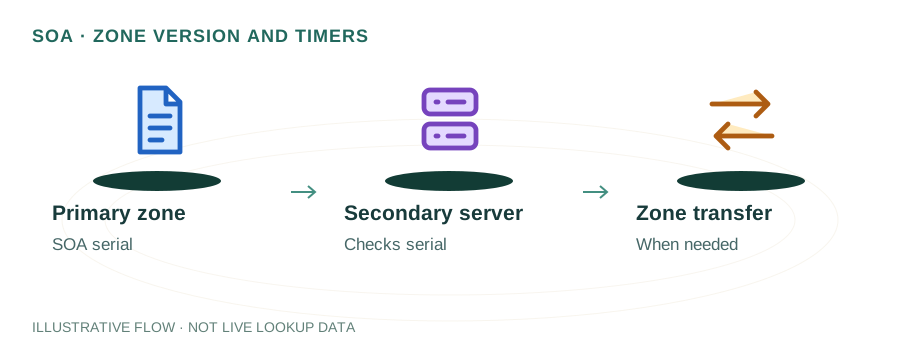
It's a version counter. Secondary nameservers compare serials to know when the zone has changed and needs to be transferred.
Do cloud DNS providers use zone files?
They use the same record format internally but provide web UIs and APIs. Most support zone file import/export for migrations.
Related Articles & Tools
How DNS Works
Full DNS resolution process
CNAME vs A Record
When to use each record type
DNS Record Types Guide
All DNS record types explained
DNS Lookup Tool
Query any domain's DNS records