
How to Debug DNS Resolution: Commands & Troubleshooting
Investigate NXDOMAIN, SERVFAIL and timeouts by comparing delegation, authoritative answers and recursive resolver behavior.
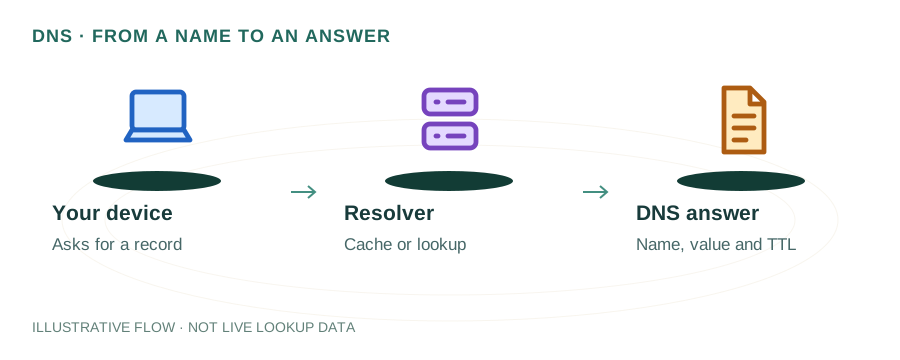
The named scenario below is a worked example for learning, not a verified incident report. Provider settings and outcomes vary.
DNS Debugging Workflow
Site not resolving
Query the domain
NXDOMAIN? SERVFAIL?
Query authoritative NS
Different resolvers
Issue identified & fixed
🎯 Illustrative example: Divya's Website Returns SERVFAIL
Divya's users report 'DNS_PROBE_FINISHED_NXDOMAIN' errors. She debugs step by step:
Step 1: Query with dig
dig divya.com A → status: SERVFAIL. The authoritative nameserver is failing to respond properly.
Step 2: Check nameservers directly
dig divya.com NS → returns ns1.oldhost.com and ns2.oldhost.com. Wait — she migrated away from oldhost last month!
Step 3: Root cause found
She changed hosting but forgot to update nameservers at her domain registrar. NS still points to old host.
Step 4: Query old NS directly
dig @ns1.oldhost.com divya.com A → REFUSED. Old host deleted her zone after account expired.
Step 5: Fix at registrar
Updates nameservers at registrar to ns1.newhost.com and ns2.newhost.com.
Step 6: Site comes back
After NS propagation (2-4 hours), dig divya.com A returns correct IP. Site is accessible again.
Systematic debugging with dig found the root cause in 5 minutes.
Without dig/nslookup, she might have spent hours checking the wrong things (server, firewall, etc.).
Step 1: Identify the Symptom
DNS issues manifest in different ways. Identify your symptom first:
| Symptom | Likely Cause |
|---|---|
NXDOMAIN | Domain/record doesn't exist |
SERVFAIL | Nameserver error or DNSSEC failure |
REFUSED | Nameserver not authoritative / blocking queries |
| Timeout / no response | Nameserver unreachable or firewall blocking UDP 53 |
| Wrong IP returned | Stale cache, wrong record, or DNS hijacking |
| Works in some locations | Propagation delay or GeoDNS |
Step 2: Essential Debugging Commands
dig — The Swiss Army Knife
# Basic lookupdig example.com A# Query a specific resolverdig @8.8.8.8 example.com A# Trace the full resolution pathdig +trace example.com# Check authoritative nameserversdig example.com NS +short# Check with DNSSEC validationdig +dnssec example.comnslookup — Quick Checks
nslookup example.comnslookup -type=MX example.comnslookup example.com 1.1.1.1host — Concise Output
host example.comhost -t TXT example.comStep 3: Trace the Resolution Path
The dig +trace command is the most powerful debugging tool. It shows every step of DNS resolution:
.                   518400  IN  NS  a.root-servers.net.
com.                172800  IN  NS  a.gtld-servers.net.
example.com.        86400   IN  NS  ns1.example.com.
example.com.        300     IN  A   93.184.216.34
If the trace stops at a particular level, that's where the problem lies. Common breakpoints:
- Stops at TLD: Nameserver delegation is missing or incorrect at the registrar
- Stops at NS: Authoritative nameserver is down or misconfigured
- SERVFAIL at NS: DNSSEC validation failure or server error
Step 4: Common Scenarios & Fixes
NXDOMAIN — Record Not Found
The authoritative server confirms the record doesn't exist.
- • Check if the domain is registered:
whois example.com - • Verify the record exists at your DNS provider's dashboard
- • Check for typos in the subdomain or record name
- • Check domain registration status via RDAP
SERVFAIL — Server Error
Usually caused by DNSSEC misconfiguration or nameserver problems.
- • Check DNSSEC:
dig +dnssec +cd example.com - • If
+cd(check disabled) works, DNSSEC is the issue - • Verify DS records match at registrar and nameserver
Stale / Wrong Results
Old cached records are being served.
- • Check the TTL value:
dig example.com A(look at TTL column) - • Query the authoritative server directly to see the current value
- • Flush local DNS cache:
sudo systemd-resolve --flush-caches(Linux) - • Read more: DNS TTL Explained
Propagation Delay
Changes work on some resolvers but not others.
- • Query multiple resolvers:
dig @8.8.8.8,@1.1.1.1,@9.9.9.9 - • Check: How to Check DNS Propagation
- • Propagation depends on old TTL values — you may need to wait
DNS Debugging Checklist
- Is the domain registered and not expired?
- Are nameservers correctly delegated at the registrar?
- Does the record exist at the authoritative nameserver?
- Is the TTL low enough for timely propagation?
- Is DNSSEC configured correctly (if enabled)?
- Are there conflicting records (e.g., CNAME + A on same name)?
- Is the resolver's cache returning stale data?
Online Tools for DNS Debugging
- mydnsreport.com DNS Lookup — Query all record types with detailed output
- WHOIS & RDAP Guide — Understand domain registration and nameserver info
- Blacklist Checker — Verify IP reputation if DNS issues affect email
Frequently Asked Questions
Why is my domain not resolving?
Common causes include: expired domain, incorrect nameserver delegation, missing DNS records, propagation delay after recent changes, or DNSSEC validation failures. Use dig +trace domain.com to pinpoint where resolution fails.
What does NXDOMAIN mean?
NXDOMAIN (Non-Existent Domain) means the authoritative DNS server confirmed that the domain or subdomain does not exist. Check if the domain is registered and the record has been created.
How do I check if DNS has propagated?
Query multiple DNS resolvers worldwide. Use mydnsreport.com or manually query with dig @8.8.8.8 domain.com and dig @1.1.1.1 domain.com. Consistent results mean propagation is complete.