
DNS TTL Explained: How to Choose the Right Value
Read DNS TTL values, understand resolver caching and plan address changes around the lifetime of existing cached answers.
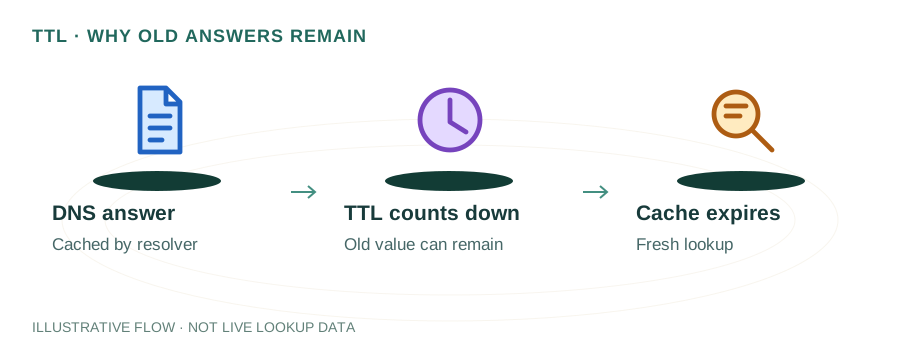
The named scenario below is a worked example for learning, not a verified incident report. Provider settings and outcomes vary.
How DNS TTL Caching Works
Browser requests domain
Checks local cache
Returns record + TTL
Cache valid for N seconds
Cache is discarded
Fetches new record
🎯 Illustrative example: Amit Migrates His Server
Amit is moving his website to a new hosting provider. His TTL is set to 86400 (24 hours). Here's what goes wrong:
New server is ready at IP 203.0.113.50
Amit sets up his website on the new server and tests it — everything works.
Changes A record to new IP
He updates the DNS A record from 192.168.1.10 to 203.0.113.50.
Users still see old site for 24 hours
Because TTL was 86400, DNS resolvers worldwide have cached the old IP for up to 24 more hours.
Customer complaints pour in
Some users see the old site, some see the new one — it's chaos for the next day.
What he should have done
48 hours before migration, lower TTL to 300 (5 minutes). Then change IP. Propagation would take minutes, not hours.
After migration, restore TTL
Once everything's stable, set TTL back to 3600 or 86400 to reduce DNS query load.
With TTL lowered before migration, DNS changes propagate in 5 minutes worldwide.
With 86400 TTL, some users couldn't reach his new site for up to 24 hours.
How TTL Works
When a user visits your website, their device asks a DNS resolver (like Google's 8.8.8.8 or Cloudflare's 1.1.1.1) for your domain's IP address. The resolver queries your authoritative nameserver, gets the A record, and caches it for the duration specified by the TTL value. If the TTL is 3600, the resolver will serve the cached answer for one hour before checking again. During that hour, any DNS changes you make are invisible to users whose resolvers have the old record cached.
The TTL value is set by the authoritative nameserver and included in every DNS response. It starts counting down the moment the resolver caches the record. When the countdown reaches zero, the resolver discards the cached entry and fetches a fresh copy on the next query. This mechanism is fundamental to how DNS propagation works — a higher TTL means slower propagation, while a lower TTL means faster updates but more DNS traffic.
TTL & DNS Caching Hierarchy
DNS caching doesn't happen at just one level. There's an entire hierarchy of caches between your user and your authoritative nameserver, and TTL affects each layer differently:
Browser Cache
Modern browsers maintain their own DNS cache. Chrome caches DNS for up to 60 seconds regardless of TTL. Firefox respects TTL but caps it. This means even a TTL of 0 won't guarantee instant propagation for users with open browser tabs.
Operating System Cache
The OS-level resolver (systemd-resolved on Linux, mDNSResponder on macOS, DNS Client on Windows) also caches DNS responses. On Windows, you can flush this with ipconfig /flushdns. On macOS, use sudo dscacheutil -flushcache. On Linux, sudo systemd-resolve --flush-caches.
Recursive Resolver Cache
This is where TTL has the most impact. ISP resolvers and public resolvers like 8.8.8.8 and 1.1.1.1 strictly follow TTL values. A record with TTL 86400 will be cached for a full 24 hours at the resolver level, serving potentially millions of users from cache during that period.
Recommended TTL Values by Use Case
| Scenario | TTL (seconds) | Human Readable |
|---|---|---|
| Stable A/AAAA records | 86400 | 24 hours |
| General purpose (default) | 3600 | 1 hour |
| Email MX records | 3600 | 1 hour |
| SPF/DKIM/DMARC TXT records | 3600 | 1 hour |
| Pre-migration (lower before changes) | 300 | 5 minutes |
| Failover / high availability | 60 | 1 minute |
| CDN/load balancer CNAME | 300 | 5 minutes |
TTL Strategy for DNS Migrations
When planning a server migration or hosting change, TTL management is critical. Follow this three-phase approach to minimize downtime:
Phase 1: Lower TTL (48-72 hours before)
Reduce your A record TTL from 86400 or 3600 to 300 seconds (5 minutes). Wait at least the duration of your old TTL before making the actual change — this ensures all resolvers worldwide have picked up the new, lower TTL value.
Phase 2: Make the change
Update your A record to point to the new server IP. With a 300-second TTL, all resolvers will pick up the change within 5 minutes. Monitor using the DNS Lookup tool to confirm propagation.
Phase 3: Raise TTL (24-48 hours after)
Once you've confirmed the migration is successful and everything is working on the new server, increase the TTL back to 3600 or 86400. This reduces DNS query load on your nameservers and improves resolution speed for your users.
Common TTL Mistakes
- Setting TTL too high before a migration. If your A record has a 24-hour TTL and you change hosting providers, some users will be pointed to your old server for up to 24 hours. Always lower TTL to 300 at least 48 hours before planned changes.
- Setting TTL too low permanently. A TTL of 60 seconds means every DNS resolver re-queries your nameserver every minute. This increases DNS traffic, adds latency to every request, and can cause issues if your nameserver has a brief outage.
- Forgetting to raise TTL after migration. After your DNS change has propagated, increase the TTL back to 3600 or higher. Leaving it at 300 permanently wastes resources.
- Assuming TTL guarantees instant propagation. Even with a TTL of 60, some ISP resolvers may cache records longer than specified. Browser and OS caches also add delay. TTL is a guideline, not a guarantee.
- Ignoring negative caching (NXDOMAIN TTL). When a domain doesn't exist, the SOA record's minimum TTL value is used to cache the negative response. If you're adding a new subdomain, old NXDOMAIN responses may be cached for this duration.
How to Check Current TTL Values
Use the DNS Lookup tool to check any domain's current TTL values. The results display the TTL for each record type. On Linux, you can also use dig example.com +noall +answer to see TTL values directly in your terminal — the number in the second column is the remaining TTL in seconds.
$ dig example.com A +noall +answerexample.com. 3600 IN A 93.184.216.34The value 3600 shown above is the remaining TTL — it counts down from the original value. If you query again a few minutes later, you'll see a lower number. When it reaches 0, the resolver fetches a fresh record from the authoritative nameserver.
TTL & CDN Providers
When using a CDN like Cloudflare, AWS CloudFront, or Fastly, TTL behaves differently. Most CDN providers manage DNS TTL automatically:
- Cloudflare uses a default TTL of "Auto" which is typically 300 seconds for proxied records. You cannot manually set TTL for orange-cloud (proxied) records.
- AWS Route 53 allows you to set custom TTL values per record. The default is 300 seconds. For alias records pointing to AWS resources, TTL is automatically set to match the resource.
- Google Cloud DNS defaults to 300 seconds but allows values from 0 to 2,147,483,647 seconds (though extremely high values are impractical).
If you're using a CDN with anycast DNS, lower TTLs have less performance impact because the CDN's global nameserver network handles the increased query volume efficiently.
Frequently Asked Questions
What is DNS TTL?
DNS TTL (Time To Live) is a value in seconds that tells DNS resolvers how long to cache a record before requesting a fresh copy from the authoritative nameserver. A TTL of 3600 means the record is cached for one hour. Lower values mean faster propagation but more DNS queries.
What is the best TTL value?
For most websites, 3600 (1 hour) is a good default. Use 300 (5 minutes) before planned DNS changes to ensure fast propagation. Use 86400 (24 hours) for records that never change. For high-availability setups, 60 seconds enables rapid failover.
Does setting TTL to 0 make DNS changes instant?
No. A TTL of 0 tells resolvers not to cache the record, but browser caches, OS caches, and some ISP resolvers may still hold onto the old record briefly. In practice, TTL 0 means changes propagate within a few minutes, not instantly.
What is negative caching in DNS?
When a DNS query returns NXDOMAIN (domain not found), resolvers cache this negative result too. The cache duration is determined by the SOA record's minimum TTL field. This means if you create a new subdomain, some resolvers may still return "not found" for a while if they cached the earlier negative response.