
How to Check DNS Propagation: Tools & Commands
Compare authoritative and recursive DNS answers, inspect remaining TTL and investigate differences without assuming a fixed wait.
Compare answers before waiting
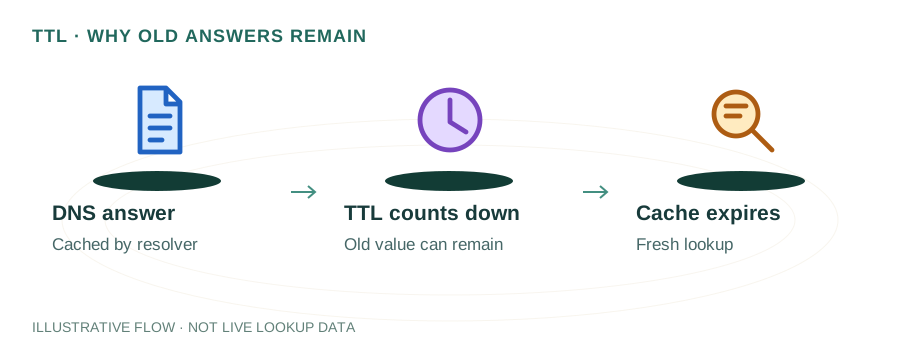
A DNS change is not a broadcast to every resolver. Your provider updates authoritative data, while recursive resolvers can still hold older cached answers. First confirm that you edited the active zone; waiting will not fix a change made at an unused DNS provider.
Write down the exact question
Record the hostname, record type, expected value, change time and selected resolver. Queries for example.com and www.example.com are different. A and AAAA are also separate questions. Geography-based answers or private DNS can explain differences even when no migration is underway.
Check authoritative DNS
dig example.com NS
dig @ns1.example.net example.com A +norecurse
Replace the example nameserver with one serving your domain. Check more than one authoritative server where available. If they disagree, resolve the provider-side inconsistency before diagnosing public caches. For delegation changes, inspect the parent delegation as well as the NS records inside the child zone.
Compare recursive responses
dig @8.8.8.8 example.com A +noall +answer
dig @1.1.1.1 example.com A +noall +answer
Save the returned addresses and TTLs. Two matching answers are useful evidence from those queries; they are not proof that every user worldwide sees the same value. The homepage lookup lets you choose Google or Cloudflare and copy each result.
Worked example: a cached old address
Imagine the authoritative A record now contains 192.0.2.20, while a resolver returns the previous 192.0.2.10 with 600 seconds remaining. Under normal cache behavior, that answer can remain for roughly ten more minutes. Changing the authoritative TTL now does not shorten the lifetime already stored in that cache. Both addresses here are documentation examples.
If the resolver continues returning the wrong value after a fresh lookup, recheck the full chain: CNAME target, delegation, provider consistency and any intentionally varied answers. Resolver stale-answer features and application-level caching can complicate a simple countdown.
Prepare a future change
- Lower the relevant TTL ahead of time and allow the previous TTL to expire before switching.
- Keep old and new services working during the transition when possible.
- Preserve MX, SPF, DKIM and DMARC when moving website hosting.
- Verify the actual website, TLS connection and email service after DNS looks correct.
There is no universal 24- or 48-hour completion time. Parent delegation and negative answers have their own cache behavior. Base your checks on the records involved, provider update state and observed responses.
Local cache versus public cache
Clearing your device cache can help your own next lookup. It does not purge Google, Cloudflare or an ISP’s cached data. A browser can also use its own secure-DNS setting, so check that you are comparing the same resolver path.
Read TTL and caching and the cPanel migration checklist. References: DNS concepts and negative caching.