
SPF Too Many DNS Lookups: How to Fix PermError
Trace SPF include chains, understand the DNS lookup limit and find unnecessary mechanisms before changing your sender policy.
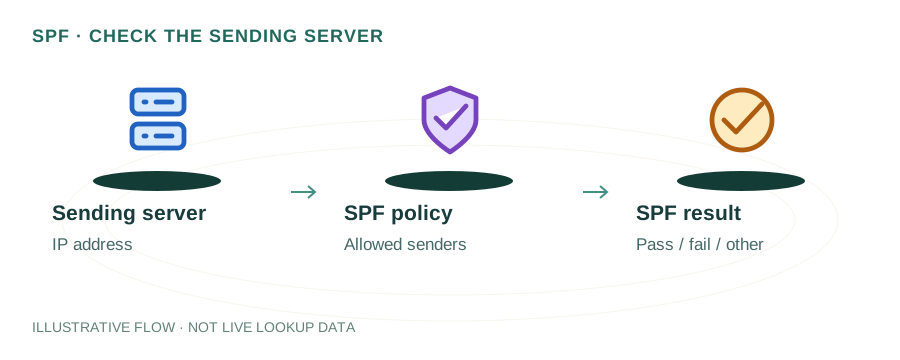
The named scenario below is a worked example for learning, not a verified incident report. Provider settings and outcomes vary.
SPF Lookup Evaluation Flow
Server receives message
Fetches TXT record
Resolves each include
Tracks DNS queries
SPF fails entirely
SPF validated
🎯 Illustrative example: Neha's SPF Breaks After Adding Mailchimp
Neha uses Gmail, Freshdesk, and Zendesk for email. She adds Mailchimp and everything breaks:
Starting SPF record
v=spf1 include:_spf.google.com include:freshdesk.com include:mail.zendesk.com ~all — uses 8 lookups.
Adds Mailchimp include
include:servers.mcsv.net adds 3 more lookups. Total: 11 lookups.
SPF returns PermError
11 > 10 limit. Every email from her domain now fails SPF — not just Mailchimp emails, ALL emails.
Email deliverability tanks
Gmail and Outlook start rejecting her emails. Client communications are disrupted.
Fix: Flatten the SPF record
Replace include mechanisms with direct IP addresses: ip4:209.85.x.x ip4:198.51.x.x — each IP uses 0 lookups.
Result after flattening
SPF record now uses 4 lookups. All emails pass SPF. She sets a monthly reminder to update IPs.
Flattened SPF record stays under 10 lookups even with 5 email services.
One extra include broke SPF for the entire domain — all emails failed authentication.
Understanding the 10-Lookup Limit
The SPF specification (RFC 7208) limits SPF evaluation to a maximum of 10 DNS lookups. This limit exists to prevent DNS amplification attacks and excessive resolver load. When a receiving mail server evaluates your SPF record, it follows every mechanism that requires a DNS query. If the total exceeds 10, the server returns a PermError — and your email fails SPF authentication entirely.
The tricky part: include mechanisms are recursive. If include:_spf.google.com itself includes 3 more records, those count toward your total too. A single Google Workspace include typically consumes 3-4 of your 10 lookups. This means adding just 3-4 email services can easily blow past the limit.
What Counts as a Lookup?
Not all SPF mechanisms are equal. Understanding which ones consume lookups is key to staying under the limit:
| Mechanism | Counts? | Notes |
|---|---|---|
include: | Yes + recursive | Counts as 1, plus all lookups inside the included record |
a | Yes | Resolves the domain's A record |
mx | Yes | Resolves MX records, then each MX hostname |
redirect= | Yes | Redirects SPF evaluation to another domain |
exists: | Yes | Checks if a domain resolves |
ip4: | No | Direct IP — no DNS query needed |
ip6: | No | Direct IPv6 — no DNS query needed |
all | No | Catch-all — no resolution required |
Example: A Broken SPF Record
v=spf1 include:_spf.google.com include:sendgrid.net include:spf.mailchimp.com include:spf.hubspot.com include:amazonses.com include:spf.protection.outlook.com ~allThis looks innocent — only 6 include statements. But when you count the recursive lookups inside each include, the total often exceeds 15-20 lookups. For example, _spf.google.com alone resolves to 3-4 additional includes. Use the DNS Lookup tool to check your domain's TXT records and count the includes.
How to Count Your Lookups
To manually count your SPF lookups, follow the include chain recursively. Here's a real-world example for a domain using Google Workspace:
v=spf1 include:_spf.google.com ~all
└─ _spf.google.com → include:_netblocks.google.com include:_netblocks2.google.com include:_netblocks3.google.com
└─ Each _netblocks record contains ip4/ip6 ranges (0 lookups)
Total: 1 (include) + 1 (_spf.google.com) + 3 (_netblocks) = 4 lookups
With just Google Workspace consuming 4 lookups, you only have 6 remaining for all other services. Adding SendGrid (2-3 lookups), Mailchimp (1-2 lookups), and one more service easily pushes you over the limit. You can verify your total count by looking up your domain's TXT record with the DNS Lookup tool and tracing each include.
How to Fix It
Option 1: SPF Flattening
Replace include mechanisms with the actual IP addresses they resolve to. For example, instead of include:sendgrid.net, use the specific ip4:167.89.0.0/17 ranges SendGrid publishes. This eliminates the DNS lookup entirely. The downside is that if SendGrid changes their IP ranges, your SPF breaks until you update it. Automated SPF flattening services handle this by re-resolving periodically.
Option 2: Consolidate sending services
Audit which services actually send email from your domain. Do you really need HubSpot, Mailchimp, AND SendGrid all authorized? Often, consolidating to fewer providers reduces your include count to under 10. Remove any services you've stopped using — stale includes are the most common cause of bloated SPF records.
Option 3: Use subdomains for different services
Send marketing email from mail.example.com and transactional email from notify.example.com. Each subdomain gets its own SPF record with its own 10-lookup budget. This is the most scalable solution and is used by companies like GitHub, Stripe, and Shopify. It also improves deliverability by isolating sender reputation per email stream.
SPF Flattening Risks
While SPF flattening solves the lookup limit, it introduces maintenance challenges that you need to be aware of:
- IP ranges change without notice. Email service providers regularly add, remove, or rotate their sending IP addresses. If your flattened record has stale IPs, legitimate emails may fail SPF. Google, for example, updates their sending IPs periodically.
- TXT record length limits. A single DNS TXT record is limited to 255 characters per string (though multiple strings can be concatenated). Flattening many IP ranges can create very long records that approach or exceed practical limits.
- Manual flattening doesn't scale. If you flatten manually, you need to check provider IP changes regularly. Automated flattening services (like those offered by various SPF management tools) re-resolve includes on a schedule and update your DNS automatically.
For most organizations, the subdomain approach (Option 3) is more sustainable long-term than flattening, especially as you add more email services over time.
Frequently Asked Questions
What causes "SPF PermError: too many DNS lookups"?
The SPF specification limits SPF records to 10 DNS lookups maximum. Each include, a, mx, and redirect mechanism counts as one lookup — and includes are recursive, so nested includes count too. Exceeding 10 causes a PermError that breaks email authentication.
How do I flatten my SPF record?
SPF flattening replaces include mechanisms with the actual IP addresses they resolve to, using ip4 and ip6 mechanisms instead. This reduces DNS lookups but requires periodic updates when providers change their IP ranges.
Does the void lookup limit (2) also apply?
Yes. RFC 7208 also limits "void lookups" (queries that return no records) to 2. If more than 2 mechanisms in your SPF record point to non-existent domains, the evaluation returns PermError. This can happen when you remove a service but leave its include in your SPF record.
Can I use multiple SPF records to avoid the limit?
No. RFC 7208 requires exactly one SPF TXT record per domain. Having two or more SPF records (both starting with v=spf1) causes a PermError regardless of lookup count. You must merge all mechanisms into a single record.