
How to Read DMARC Reports: Analysis Guide
Read DMARC aggregate reports to identify sending sources, authentication results and alignment failures before tightening policy.
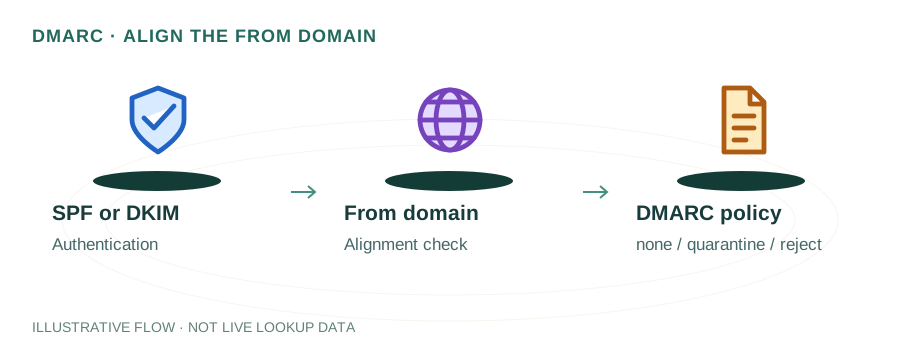
The named scenario below is a worked example for learning, not a verified incident report. Provider settings and outcomes vary.
DMARC Report Processing Flow
Your domain sends email
SPF + DKIM evaluated
XML aggregate report
Report sent to your address
Parse pass/fail rates
Move to quarantine/reject
🎯 Illustrative example: Ravi Discovers Someone Spoofing His Domain
Ravi set up DMARC with p=none and rua reporting. After 2 weeks, he analyzes his first aggregate report:
Receives XML report from Gmail
A compressed XML file arrives at dmarc-reports@ravi.com — contains 2 weeks of email auth data.
Parses the report
Report shows 1,247 emails sent from his domain. 1,180 passed SPF+DKIM. 67 failed both.
67 failing emails from unknown IPs
IPs 91.x.x.x and 185.x.x.x are sending emails as @ravi.com — he doesn't own these servers.
Investigates the IPs
Reverse DNS shows they're from a hosting provider in Eastern Europe. Someone is spoofing his domain.
Tightens DMARC to p=quarantine
Changes policy from none to quarantine. Spoofed emails will now go to spam.
After 4 weeks, moves to p=reject
Confirms all legitimate emails pass. Moves to p=reject — spoofed emails are now completely blocked.
DMARC reports revealed active spoofing. p=reject now blocks 100% of unauthorized emails.
Without DMARC monitoring, he'd never know someone was impersonating his domain.
What Are DMARC Reports?
DMARC (Domain-based Message Authentication, Reporting & Conformance) reports are XML files sent by receiving mail servers (Gmail, Outlook, Yahoo, etc.) to the email address in your DMARC record's rua tag. They contain authentication results for every email received claiming to be from your domain.
There are two types of reports:
- Aggregate reports (RUA) — Daily summaries with authentication stats, sent as compressed XML. These are what most people work with.
- Forensic reports (RUF) — Real-time failure notifications with message details. Most providers don't send these due to privacy concerns.
Anatomy of a DMARC Aggregate Report
A DMARC aggregate report XML contains several key sections. Here's what each means:
<report_metadata>
Contains the reporting organization (e.g., google.com), the report ID, and the date range covered. This tells you who sent the report and what period it covers (typically 24 hours).
<policy_published>
Shows the DMARC policy the receiver saw for your domain: the p= value (none, quarantine, reject), alignment modes for SPF and DKIM (relaxed or strict), and the percentage (pct). This helps you verify your published policy matches your intent.
<record> → <row>
The most important section. Each <row> represents a group of emails from a specific source IP with the same authentication results. Key fields:
source_ip— The IP that sent the emails. Use reverse DNS to identify the sender.count— How many emails this row represents.disposition— What the receiver did:none(delivered),quarantine(spam folder), orreject(bounced).dkim— pass or fail, plus the domain that signed.spf— pass or fail, plus the domain checked.
<auth_results>
The raw SPF and DKIM results before DMARC alignment is applied. A message might pass SPF but fail DMARC if the SPF domain doesn't align with the From header domain.
How to Interpret Common Patterns
Pattern: SPF pass + DKIM pass + disposition: none
✓ Everything is working perfectly. The email was authenticated and delivered. Check that the source IP matches a service you authorized (your mail server, SendGrid, Mailchimp, etc.).
Pattern: SPF fail + DKIM fail + unknown source IP
⚠ This is likely a spoofing attempt. Someone is sending email pretending to be your domain. If your policy is p=none, these emails are still being delivered — this is why you should eventually move to p=quarantine or p=reject.
Pattern: SPF pass + DKIM fail + known source IP
⚠ A legitimate sending service is authorized in your SPF record but hasn't been configured with DKIM signing for your domain. Check the service's settings and enable DKIM — most providers have a one-click setup.
Pattern: SPF fail + DKIM pass (alignment fail)
⚠ DKIM is signing correctly but the SPF check failed — usually because the sending IP isn't in your SPF record, or the email was forwarded. Check if the source IP should be added to your SPF record, or if this is email forwarding (which naturally breaks SPF).
Step-by-Step: From Reports to Enforcement
- Start with p=none. Publish
v=DMARC1; p=none; rua=mailto:dmarc@yourdomain.comand collect reports for 2-4 weeks. - Identify all legitimate senders. Review the source IPs in your reports. Look up each IP to identify the sending service. Ensure every legitimate sender has both SPF authorization and DKIM signing configured.
- Fix authentication gaps. Add missing services to your SPF record. Enable DKIM for each sending service. Use the SPF flattening guide if you're hitting the 10-lookup limit.
- Move to p=quarantine. Once all legitimate mail passes authentication, change your policy to
p=quarantine. Monitor reports for another 1-2 weeks to catch any missed sources. - Enforce p=reject. When you're confident everything is configured, switch to
p=rejectto fully protect your domain from spoofing.
Frequently Asked Questions
What is a DMARC report?
A DMARC report is an XML file sent daily by receiving mail servers to the address in your DMARC record's rua tag. It contains SPF and DKIM authentication results for every email received claiming to be from your domain, including the sending IP, volume, and whether the message was delivered, quarantined, or rejected.
How do I start receiving DMARC reports?
Add a TXT record at _dmarc.yourdomain.com with value v=DMARC1; p=none; rua=mailto:dmarc-reports@yourdomain.com. Reports will start arriving within 24-48 hours from major providers like Gmail, Outlook, and Yahoo.
What does a DMARC failure mean?
A DMARC failure means SPF or DKIM (or both) failed and the identifiers didn't align with the From domain. This could indicate spoofing, a misconfigured sending service, or a legitimate service you forgot to authorize. Check the source IP and add it to your SPF record if it's a known sender.