
How to Set Up DMARC from Scratch: Complete Guide
Start DMARC monitoring, examine aligned sending sources and plan policy enforcement after verifying legitimate mail streams.
The named scenario below is a worked example for learning, not a verified incident report. Provider settings and outcomes vary.
DMARC Setup Progression
Prerequisite record
Prerequisite signing
p=none + rua=
Analyze for 2-4 weeks
Move to p=quarantine
Final: p=reject
🎯 Illustrative example: Manish Sets Up DMARC from p=none to p=reject
Manish protects his company domain against spoofing by progressively tightening DMARC over 8 weeks:
Week 1: Starts with p=none
v=DMARC1; p=none; rua=mailto:dmarc@manish.com — monitor only, don't block anything yet.
Week 2-3: Analyzes reports
Receives aggregate reports. 95% of emails pass. 5% fail from a forgotten marketing tool.
Week 3: Fixes the failures
Adds the marketing tool's SPF include. Sets up DKIM for it. Failure rate drops to 0.5%.
Week 4: Moves to p=quarantine
v=DMARC1; p=quarantine; pct=50 — quarantine 50% of failing emails. Tests impact.
Week 5-6: Increases to pct=100
All failing emails go to spam. No legitimate email affected. Spoofed emails are caught.
Week 8: Full p=reject
v=DMARC1; p=reject; rua=... — spoofed emails are now fully rejected. Domain is protected.
8-week progressive rollout = zero disruption to legitimate email + full spoofing protection.
Jumping straight to p=reject without monitoring can block your own legitimate emails.
What is DMARC?
DMARC (Domain-based Message Authentication, Reporting & Conformance) is an email authentication protocol that builds on SPF and DKIM. It tells receiving mail servers what to do when an email fails authentication — and sends you reports about who is sending email as your domain.
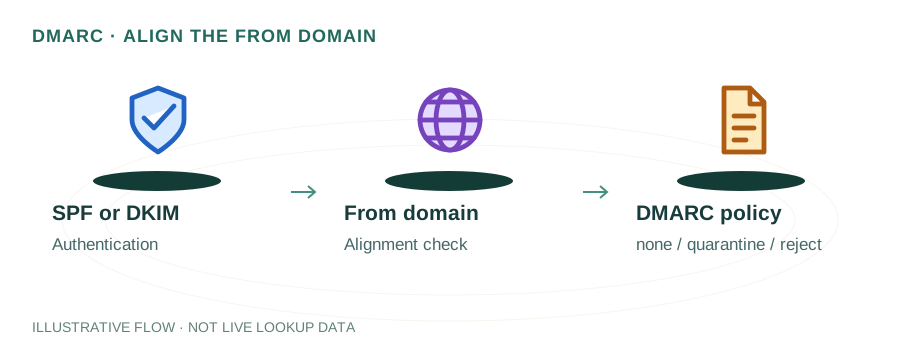
DMARC protects against email spoofing and phishing by ensuring the From header domain aligns with SPF/DKIM-authenticated domains.
Prerequisites: SPF and DKIM
Before setting up DMARC, you must have:
- SPF record configured — SPF Setup Guide
- DKIM signing enabled — DKIM Setup Guide
- An email address or mailbox to receive DMARC aggregate reports
Step 1: Create Your First DMARC Record
Add a TXT record at _dmarc.yourdomain.com:
v=DMARC1; p=none; rua=mailto:dmarc-reports@yourdomain.com; fo=1v=DMARC1p=nonerua=mailto:...fo=1Step 2: Monitor for 2-4 Weeks
With p=none, no emails are blocked. You'll receive daily XML aggregate reports showing:
- • Which IPs are sending email as your domain
- • Whether those emails pass or fail SPF/DKIM
- • Whether alignment passes or fails
Read more: How to Read DMARC Reports
Step 3: Fix Authentication Issues
Review your DMARC reports and fix any legitimate senders that fail authentication:
Third-party services
Add their IPs/includes to your SPF record and set up custom DKIM signing. See alignment guide.
Legacy systems
Old mail servers or scanners that send as your domain need SPF authorization or DKIM configuration.
Forwarding issues
Email forwarding breaks SPF. Ensure DKIM is configured so forwarded emails still pass DMARC via DKIM alignment.
Step 4: Gradually Enforce
Once all legitimate senders pass DMARC, tighten the policy gradually:
Phase 1: Quarantine 10%
v=DMARC1; p=quarantine; pct=10; rua=mailto:dmarc@example.comPhase 2: Quarantine 100%
v=DMARC1; p=quarantine; pct=100; rua=mailto:dmarc@example.comPhase 3: Reject
v=DMARC1; p=reject; rua=mailto:dmarc@example.comDMARC Tag Reference
| Tag | Required | Description |
|---|---|---|
v | Yes | Version (must be DMARC1) |
p | Yes | Policy: none, quarantine, or reject |
rua | No | Aggregate report recipients (mailto:) |
ruf | No | Forensic report recipients |
pct | No | Percentage of emails to apply policy to (1-100) |
aspf | No | SPF alignment mode: r (relaxed) or s (strict) |
adkim | No | DKIM alignment mode: r (relaxed) or s (strict) |
sp | No | Subdomain policy (overrides p for subdomains) |
fo | No | Failure reporting options (0, 1, d, s) |
Verify Your DMARC Record
dig _dmarc.example.com TXT +shortnslookup -type=TXT _dmarc.example.comOr use mydnsreport.com DNS Lookup to check your DMARC record instantly.
Frequently Asked Questions
How do I set up DMARC for the first time?
Create a TXT record at _dmarc.yourdomain.com with v=DMARC1; p=none; rua=mailto:dmarc@yourdomain.com. Start with monitoring mode (p=none) before enforcing.
What DMARC policy should I start with?
Always start with p=none to monitor. After analyzing reports for 2-4 weeks, move to p=quarantine, then p=reject.
Do I need SPF and DKIM before DMARC?
Yes. DMARC relies on SPF and DKIM for authentication. Have at least one (ideally both) properly configured first.