
Email Bounce Types Explained: Hard vs Soft Bounces and How to Fix Them
Distinguish temporary and permanent email delivery failures using SMTP reply codes and the accompanying diagnostic message.
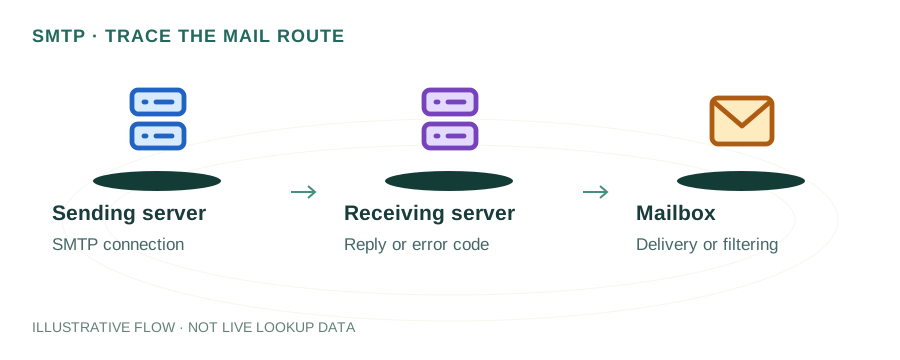
The named scenario below is a worked example for learning, not a verified incident report. Provider settings and outcomes vary.
Email Bounce Decision Flow
Message dispatched
Server processes
Mailbox exists?
550 — permanent failure
450 — temporary issue
Retry or bounce back
🎯 Illustrative example: Prachi's Newsletter Has 15% Bounce Rate
Prachi sends her weekly newsletter to 5,000 subscribers. 750 emails bounce back. Here's what the bounce codes mean:
Sends newsletter to 5,000 subscribers
SendGrid dispatches all emails. Within minutes, bounce notifications start coming in.
320 hard bounces (550 errors)
550 User not found — these email addresses don't exist. Could be typos, deleted accounts, or fake signups.
180 soft bounces (452 errors)
452 Mailbox full — recipient's inbox is full. Email might deliver on retry.
150 soft bounces (421 errors)
421 Too many connections — Prachi's server sent too many emails too fast. Rate limiting.
Prachi cleans her list
Removes all 320 hard bounce addresses permanently. Keeps soft bounces but flags them for monitoring.
Next week: bounce rate drops to 3%
Clean list = better sender reputation = better inbox placement for everyone else.
After list cleanup, bounce rate dropped from 15% to 3%. Deliverability improved across the board.
Ignoring bounces hurts sender reputation — ISPs may start blocking all your emails.
What is an Email Bounce?
An email bounce occurs when a message cannot be delivered to the intended recipient. The receiving mail server (or sometimes an intermediate relay) sends back a Non-Delivery Report (NDR) — also called a bounce message — to the sender's Return-Path address, explaining the failure reason.
Bounces are critical to monitor because a high bounce rate damages your sender reputation, causes email providers to send your messages to spam, and can even get your sending IP or domain blacklisted.
Hard Bounces (Permanent Failures)
Hard bounces are permanent delivery failures. The email will never be delivered to this address. Remove hard-bounced addresses immediately — continuing to send to them damages your reputation.
550 5.1.1The email address doesn't exist on the receiving server. Typo, deleted account, or fabricated address.
550 5.1.2The domain doesn't exist or has no MX records. Use our DNS Lookup to verify the domain's MX records.
550 5.7.1The recipient's server has permanently blocked your sender address, domain, or IP. Often due to blacklisting or strict DMARC enforcement.
551The mailbox has been moved and the server isn't configured to forward. Update the address in your list.
Soft Bounces (Temporary Failures)
Soft bounces are temporary issues. The mail server may retry delivery automatically. If a soft bounce persists for 3+ attempts over 72 hours, most servers treat it as permanent.
452 4.2.2The recipient's mailbox has exceeded its storage quota. The email may be accepted once space is freed.
421 4.7.0The server is temporarily unavailable, overloaded, or throttling your connections. Retry later.
450 4.7.1The server temporarily rejects first-time senders and expects a retry. Legitimate servers retry; spammers usually don't.
552 5.3.4The email exceeds the recipient server's size limit (typically 10-25 MB). Reduce attachment sizes or use a file-sharing link.
How to Reduce Bounce Rates
Validate emails at signup — Use double opt-in and email validation to prevent invalid addresses from entering your list.
Clean your list regularly — Remove hard bounces immediately. Prune addresses that soft bounce consistently (3+ times).
Set up SPF, DKIM, DMARC — Proper email authentication prevents policy-based rejections.
Monitor blacklists — Check if your sending IP or domain is blacklisted using our Blacklist Checker.
Warm up new IPs — Gradually increase sending volume on new IPs to build reputation before sending at scale.
SMTP Response Code Quick Reference
| Code | Type | Meaning |
|---|---|---|
| 2xx | Success | Message accepted for delivery |
| 4xx | Soft bounce | Temporary failure — retry later |
| 5xx | Hard bounce | Permanent failure — don't retry |
Frequently Asked Questions
What is a good email bounce rate?
Under 2% is healthy. Above 5% is concerning and may trigger spam filters or get your IP blacklisted.
Should I retry soft bounces?
Yes, most mail servers retry automatically (typically 3 times over 72 hours). If it still fails, treat it as a hard bounce.
What causes a 550 error?
The recipient doesn't exist, the domain is invalid, or the receiving server has permanently blocked your sender. It's a hard bounce — remove the address.
Related Articles & Tools
Why Emails Go to Spam
Fix deliverability issues
SMTP Tools
Test SMTP connections and diagnose errors
Blacklist Checker
Check if your IP is blacklisted
Email Header Analysis
Debug delivery issues via headers