
Domain Migration Checklist: The Complete Guide
Prepare records and services before a domain migration, then verify delegation, website access and email delivery.
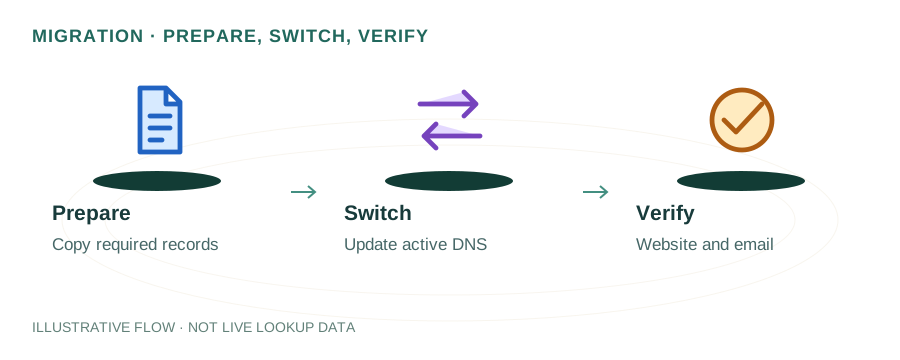
Before Migration: Critical Preparation
The most common cause of migration failures is insufficient preparation. Before changing anything, complete these steps:
Document current state
Use our DNS Lookup tool to record all current DNS records, nameservers, and registrar information. Screenshot everything.
Check domain lock status
Most domains have a transfer lock. You'll need to disable it at your current registrar before any transfer.
Note WHOIS privacy settings
Record your current WHOIS privacy configuration. Some transfers temporarily expose WHOIS data.
Check domain expiry
Domains cannot be transferred within 60 days of registration or a previous transfer. Check your domain's expiry date and recent transfer history.
DNS Record Audit
The single most important migration task is ensuring every DNS record is preserved. Missing even one record can break services. Use our DNS Lookup tool to audit these record types:
| Record Type | Purpose | Risk if Missing |
|---|---|---|
| A / AAAA | Website hosting | Website goes offline |
| MX | Email routing | All email stops working |
| TXT (SPF) | Email authentication | Emails flagged as spam |
| TXT (DKIM) | Email signing | Failed DMARC checks |
| TXT (DMARC) | Email policy | No reporting, weak auth |
| CNAME | Subdomains & aliases | Subdomains break |
| NS | Delegation | Entire domain unreachable |
| CAA | SSL certificate authority | SSL renewal fails |
| SRV | Service discovery | VoIP, chat services break |
Email Continuity
Email is the most fragile service during migration. Follow this exact sequence:
- Record all email-related DNS records: MX, SPF (TXT), DKIM (TXT), DMARC (TXT), and any autodiscover/autoconfig CNAME records.
- Set up identical records on the new DNS provider before changing nameservers.
- Lower MX record TTL to 300 seconds 48 hours before migration.
- Test email delivery immediately after the switch using our SMTP Tools.
- Monitor bounce reports for 72 hours after migration.
Registrar Transfer Process
If you're moving the domain registration itself (not just DNS), follow these steps:
- Unlock the domain at your current registrar (disable "transfer lock" or "registrar lock").
- Obtain the EPP/authorization code from your current registrar. This is a one-time password that authorizes the transfer.
- Initiate the transfer at the new registrar by entering the domain name and EPP code.
- Confirm the transfer via email — both registrars will send confirmation emails to the domain's admin contact.
- Wait 5-7 days for the transfer to complete. Some registrars allow you to approve immediately to speed this up.
Do NOT let your domain expire during the transfer process. Renew it at the current registrar if it's expiring within 30 days. Transfers typically add one year to the registration.
Hosting Migration
If you're also moving web hosting, the DNS changes must be coordinated with the hosting migration:
- Set up the website on the new host first — upload files, databases, SSL certificates.
- Test the new host using its IP or temporary URL before pointing DNS to it.
- Update A/AAAA records to point to the new server's IP address.
- Keep the old host active during the TTL expiry window to serve cached visitors.
Post-Migration Verification
After migrating, verify everything works within the first 24 hours:
- Website loads correctly (check all pages, not just homepage)
- SSL certificate is valid and auto-renewing
- Email sending and receiving works (test with external addresses)
- SPF, DKIM, and DMARC records are intact
- All subdomains resolve correctly
- Forms, APIs, and third-party integrations are functional
- DNS propagation is complete globally
- Search Console is not reporting new errors
SEO Considerations
A well-executed migration should have zero SEO impact. Key points:
- Same-domain migrations (registrar/DNS/hosting changes with no URL changes) do not affect rankings if there's no downtime.
- Minimize downtime — even brief outages during a migration can cause Googlebot to see 5xx errors and temporarily de-index pages.
- Verify in Search Console — check the Coverage report for new errors after migration.
- Resubmit sitemap after migration to prompt Google to re-crawl.
Frequently Asked Questions
How long does a domain transfer take?
A domain transfer between registrars typically takes 5-7 days. The process involves unlocking the domain, obtaining an authorization/EPP code, initiating the transfer at the new registrar, and confirming the transfer via email. Some TLDs like .uk have different processes and may transfer instantly.
Will I lose email during domain migration?
You can lose email if MX records are not properly configured at the new DNS provider before migration. Always set up all email-related records (MX, SPF, DKIM, DMARC) on the new provider first, and keep the old provider active until propagation is complete.
Does domain migration affect SEO?
If done correctly (same domain name, no URL changes), a registrar or DNS migration should not affect SEO. However, any downtime during migration can temporarily impact crawling. If you are changing domain names, you need 301 redirects and Google Search Console change of address.