
SMTP Error Codes List: Complete Guide to Email Server Response Codes
Interpret SMTP 4xx and 5xx replies alongside enhanced status codes and server messages to choose a useful next check.
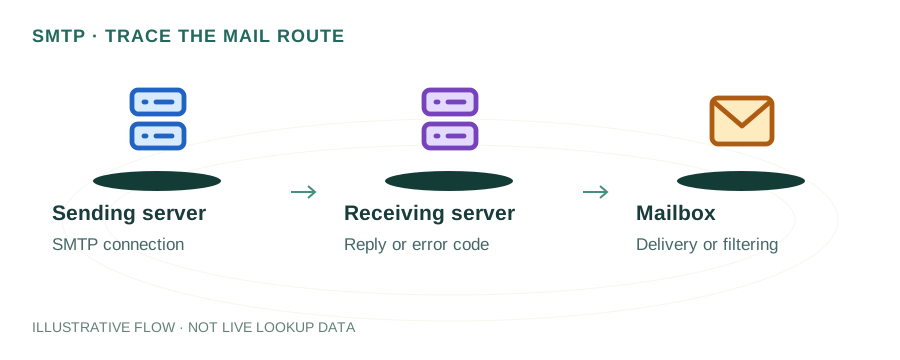
Published 2026-04-20 · 10 min read
When email delivery fails, SMTP servers return numeric error codes that explain exactly what went wrong. Understanding these codes is essential for diagnosing and fixing email delivery problems. This comprehensive reference covers every SMTP response code — from success confirmations (2xx) to permanent failures (5xx) — with clear explanations and actionable fixes.
What are SMTP Error Codes?
SMTP (Simple Mail Transfer Protocol) error codes are three-digit numbers returned by mail servers during the email delivery process. These codes are defined in RFC 5321 and provide standardized responses at each stage of the SMTP conversation — from connection and authentication to message delivery.
Every SMTP response consists of a three-digit code followed by a human-readable message. For example: 550 5.1.1 The email account does not exist. The numeric code is what software processes; the text is for human diagnosis.
SMTP Reply Code Structure
Each digit in the three-digit code has a specific meaning:
First Digit — Response Class
2xx = Success | 3xx = Intermediate (more data needed) | 4xx = Temporary failure (retry) | 5xx = Permanent failure (don't retry)
Second Digit — Category
x0x = Syntax | x1x = Information | x2x = Connections | x5x = Mail system
Third Digit — Specific Condition
Provides granular detail about the exact condition within the category.
2xx — Success Codes
| Code | Meaning | When It Occurs |
|---|---|---|
| 211 | System status | Server reporting system status or help reply |
| 220 | Service ready | Server greeting — SMTP connection established successfully |
| 221 | Closing connection | Server acknowledging QUIT command, ending session gracefully |
| 235 | Authentication successful | AUTH command succeeded — credentials accepted |
| 250 | OK / Action completed | Most common success code. EHLO, MAIL FROM, RCPT TO, or DATA accepted |
| 251 | User not local, will forward | Server will forward the message to another server |
3xx — Intermediate Codes
| Code | Meaning | Action Required |
|---|---|---|
| 334 | AUTH challenge | Server requesting authentication credentials (Base64 encoded) |
| 354 | Start mail input | Server ready to receive message body. End with CRLF.CRLF |
4xx — Temporary Failure Codes
4xx errors are temporary — the sending server should retry delivery later (typically for 24-48 hours before giving up).
Server is temporarily unavailable (maintenance, overload, or shutting down). Retry automatically.
Fix: Wait and retry. If persistent, check server status or contact the mail provider.
The recipient's mailbox is temporarily locked or busy. Often occurs during mailbox maintenance.
Fix: Retry later. The sending server handles this automatically.
The server encountered a temporary error. Often related to anti-spam checks, greylisting, or DNS issues.
Fix: Check your SPF, DKIM, DMARC records. If greylisting, the retry will succeed.
The server or recipient's mailbox has run out of storage space.
Fix: Contact the recipient to free up mailbox space. For sender-side, check outbound queue storage.
General temporary failure. Server can't complete the request right now.
Fix: Wait and retry. Check server logs for specific causes.
5xx — Permanent Failure Codes
5xx errors are permanent — the message cannot be delivered and should not be retried without changes.
Fix: Check the SMTP command syntax. May indicate the server doesn't support a particular SMTP extension.
Fix: Verify the email address format and command arguments.
Fix: The server doesn't support this command. Use a different SMTP command or feature.
Fix: Commands sent in wrong order (e.g., DATA before MAIL FROM). Check your SMTP client logic.
Fix: The server doesn't support the specified parameter for this command.
Fix: Enable SMTP authentication in your email client. Provide valid username and password.
Fix: Wrong username or password. Check credentials, ensure app passwords are used for 2FA accounts.
Fix: Most common 5xx error. Could mean: invalid address, sender blocked, SPF/DMARC failure, or domain policy rejection.
Fix: The recipient is not on this server. Check the email address for typos.
Fix: Reduce attachment size or compress files. Check the server's max message size limit.
Fix: Invalid email address format or the domain doesn't accept email at this address.
Fix: General rejection. Often means the message content triggered spam filters or the sending IP is blacklisted.
Enhanced Status Codes (RFC 3463)
Modern SMTP servers include enhanced status codes in the format X.Y.Z for more specific diagnosis:
| Code | Meaning |
|---|---|
| 5.1.1 | Bad destination mailbox address (user doesn't exist) |
| 5.1.2 | Bad destination system address (domain doesn't exist) |
| 5.2.1 | Mailbox disabled or not accepting messages |
| 5.2.2 | Mailbox full / over quota |
| 5.3.4 | Message too large for system |
| 5.7.1 | Delivery not authorized / Policy violation |
| 5.7.23 | SPF validation failed |
| 5.7.25 | Reverse DNS validation failed (PTR record) |
| 5.7.26 | DMARC validation failed |
| 4.7.1 | Greylisting — try again later |
How to Troubleshoot SMTP Errors
- Read the full error message — The text after the code often contains specific details about the rejection reason.
- Check bounce emails (NDRs) — Non-Delivery Reports contain the full SMTP conversation log showing where delivery failed.
- Verify DNS records — Use our DNS Lookup tool to check SPF, DKIM, DMARC, MX, and PTR records.
- Check blacklists — Use our RBL Blacklist Checker to see if your IP/domain is listed.
- Test SMTP connection — Use our SMTP tester to diagnose connection and authentication issues.
- Check email authentication — Ensure SPF, DKIM, and DMARC are properly configured and aligned.
Frequently Asked Questions
What does SMTP error 550 mean?
550 is the most common permanent failure. It means the mailbox is unavailable — the recipient doesn't exist, you're blocked, or your email failed authentication checks (SPF/DMARC).
What is the difference between 4xx and 5xx SMTP errors?
4xx errors are temporary — your server should retry later (automatically). 5xx errors are permanent — the message won't be delivered without fixing the underlying issue.
How do I fix SMTP error 535?
535 means authentication failed. Check your username and password. If using Gmail with 2FA, generate an App Password. Ensure you're using the correct SMTP port (587 with STARTTLS or 465 with SSL).
What causes SMTP error 554?
554 is a general rejection, often caused by: blacklisted sending IP, spam-like content, failed SPF/DKIM/DMARC checks, or the receiving server's policy blocking your domain.
Test Your SMTP Connection
Use our SMTP tester to diagnose connection and authentication issues in real-time.