
What is Reverse DNS (rDNS)? PTR Records Explained
Understand PTR records and forward-confirmed reverse DNS, and learn why mail servers may check a sending IP hostname.
The named scenario below is a worked example for learning, not a verified incident report. Provider settings and outcomes vary.
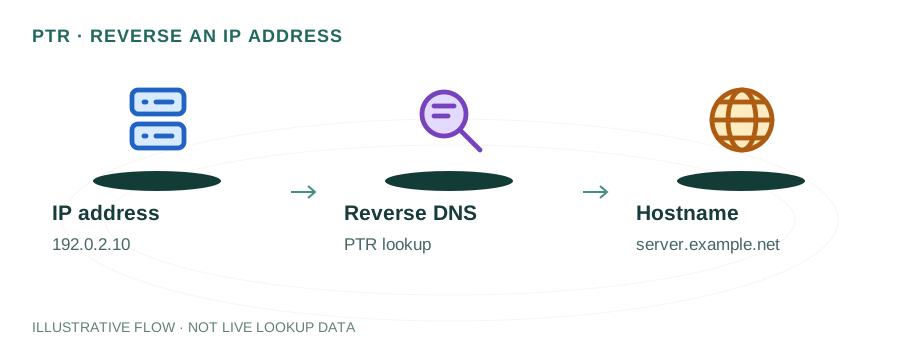
Reverse DNS Lookup Flow
Server gets IP of sender
Looks up PTR record
Queries reverse zone
Returns hostname
Forward-confirms reverse
IP matches hostname
🎯 Illustrative example: Vikram's Mail Server Gets Rejected
Vikram runs his own mail server. Gmail keeps rejecting his emails with '550 IP not found in rDNS'. Here's why:
Vikram sends email from his server
His mail server at IP 45.33.x.x sends email to a Gmail address.
Gmail does a reverse DNS lookup
Gmail queries PTR record for 45.33.x.x — gets back NXDOMAIN (no PTR record exists).
Gmail rejects the email
550-5.7.25 error: Gmail requires a valid PTR record that matches the sending hostname.
Contacts hosting provider
Vikram asks his VPS provider to set PTR record for 45.33.x.x → mail.vikram.com.
Sets up Forward-Confirmed rDNS
Also adds an A record: mail.vikram.com → 45.33.x.x. Now PTR → hostname → IP all match (FCrDNS).
Gmail accepts his email
With valid PTR and FCrDNS, Gmail trusts his server identity. Emails land in inbox.
Valid PTR + FCrDNS = Gmail, Outlook, Yahoo all accept emails from his server.
Without PTR record, major email providers reject 100% of emails from that IP.
How Reverse DNS Works
When you type example.com into a browser, a forward DNS lookup translates that name into an IP address like 93.184.216.34. Reverse DNS (rDNS) is the mirror image: given an IP address, a reverse lookup returns the associated hostname by querying a PTR (Pointer) record.
PTR records live in a special DNS zone called in-addr.arpa for IPv4 (or ip6.arpa for IPv6). The IP address octets are reversed — so a lookup for 93.184.216.34 queries 34.216.184.93.in-addr.arpa.
$ dig -x 93.184.216.34 +short
example.com.
Why Reverse DNS Matters for Email
Email deliverability is the #1 reason reverse DNS matters. When your mail server sends an email to Gmail, Outlook, or Yahoo, the receiving server performs several checks:
SMTP Connection Check
The receiving server checks if the connecting IP has a valid PTR record.
FCrDNS Verification
Forward-Confirmed reverse DNS ensures the PTR hostname resolves back to the original IP.
Spam Filtering
Missing or mismatched PTR records significantly increase spam scores.
HELO/EHLO Match
The PTR hostname should match the HELO greeting your mail server sends.
Without a PTR record, many large email providers will silently reject or spam-folder your messages. This is especially critical for transactional emails from e-commerce platforms, SaaS applications, and marketing tools.
What is Forward-Confirmed Reverse DNS (FCrDNS)?
FCrDNS is a two-step verification process. First, the IP is resolved to a hostname via a PTR lookup. Then, that hostname is resolved forward (A/AAAA lookup) to confirm it points back to the original IP. If both directions match, the FCrDNS check passes.
# Step 1: Reverse lookup
93.184.216.34 → PTR → mail.example.com
# Step 2: Forward lookup
mail.example.com → A → 93.184.216.34 ✓
This prevents attackers from creating arbitrary PTR records for IPs they don't control. Services like Gmail explicitly check FCrDNS for incoming mail connections.
How to Set Up a PTR Record
Unlike A, MX, or TXT records that you manage in your domain's DNS zone, PTR records are controlled by the owner of the IP address block — typically your hosting provider or ISP.
- Identify your mail server's public IP — the IP that outbound SMTP connections originate from.
- Contact your hosting provider — most providers (AWS, DigitalOcean, Hetzner, OVH) have a control panel or support form to request PTR records.
- Set the PTR to your mail server's FQDN — e.g.,
mail.example.com. This must match your MTA's HELO/EHLO hostname. - Create a matching A record — ensure
mail.example.comresolves to the same IP to pass FCrDNS. - Verify with a reverse DNS lookup — use
dig -x YOUR_IPor our DNS Lookup tool.
Reverse DNS for Security & Logging
Beyond email, reverse DNS is used extensively in server security and network monitoring. Web server access logs, firewall rules, and intrusion detection systems all use rDNS to identify the source of connections. An IP with no PTR record is often treated as suspicious.
Many services also use rDNS to enforce access controls. For example, some APIs and CDNs verify that the connecting IP has a valid, matching PTR record before granting access.
Common Reverse DNS Mistakes
- Generic ISP hostname: PTR records like
host-93-184-216-34.isp.netsignal a residential or shared IP, not a legitimate mail server. - Mismatched PTR and A records: The PTR must resolve forward to the same IP (FCrDNS), or it fails verification.
- Missing PTR for IPv6: If your server sends mail over IPv6, you need AAAA-matching PTR records in the
ip6.arpazone too. - Multiple IPs, one PTR: Each IP used for sending email needs its own PTR record.
Frequently Asked Questions
What is reverse DNS?
Reverse DNS (rDNS) is the process of resolving an IP address back to a hostname using PTR records. While forward DNS maps domain names to IPs, reverse DNS does the opposite — it maps an IP address like 93.184.216.34 back to a domain like example.com.
Why is reverse DNS important for email?
Most major email providers (Gmail, Outlook, Yahoo) check the PTR record of the sending mail server's IP. If no PTR record exists or it doesn't match the server's HELO/EHLO hostname, the email is much more likely to be flagged as spam or rejected outright.
How do I set up a PTR record?
PTR records are managed by whoever owns the IP address block, which is usually your hosting provider or ISP. Contact them and request a PTR record pointing your server's IP to your mail server's fully qualified domain name (FQDN).