
Email Header Analysis: How to Read and Debug Email Headers
Trace Received headers and authentication results to investigate email routing, delays and suspicious sender claims.
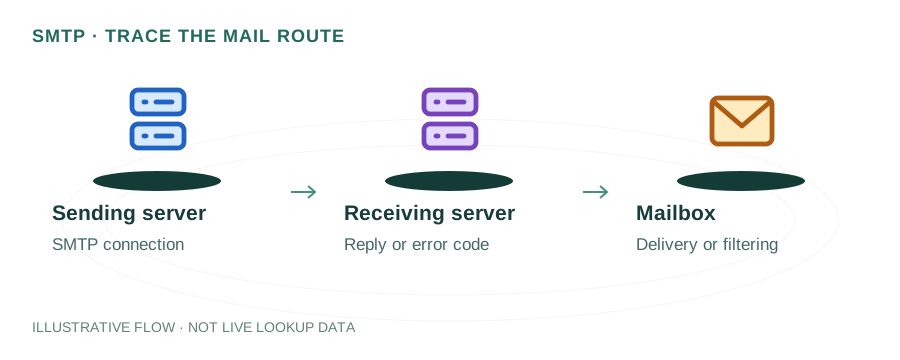
The named scenario below is a worked example for learning, not a verified incident report. Provider settings and outcomes vary.
Email Header Trace Flow
Email composed & sent
First relay server
Intermediate relay
SPF/DKIM/DMARC
Content analysis
Inbox or spam folder
🎯 Illustrative example: Rajesh Traces a Delayed Email
Rajesh's client says they received his email 4 hours late. He analyzes the email headers to find the bottleneck:
Gets the email headers
Client forwards the email. Rajesh clicks 'Show Original' in Gmail to see full headers.
Reads headers bottom to top
Headers are added by each server in reverse order — bottom = origin, top = final destination.
Checks timestamps at each hop
Hop 1 (origin): 10:00 AM. Hop 2 (relay): 10:00 AM. Hop 3 (company firewall): 2:00 PM. There's the 4-hour gap!
Identifies the bottleneck
Client's corporate email gateway held the message in a queue for 4 hours — likely spam scanning backlog.
Checks authentication results
Authentication-Results header shows: spf=pass, dkim=pass, dmarc=pass. Auth isn't the issue.
Root cause found
The delay was in the recipient's corporate mail gateway, not Rajesh's server. Shares findings with client's IT team.
Header analysis pinpointed the exact server and time causing the 4-hour delay.
Without reading headers, Rajesh might have wasted days troubleshooting his own server.
What Are Email Headers?
Every email contains hidden header lines that record its entire journey from sender to recipient. Headers include the sender/receiver addresses, timestamps, the servers it passed through, and the results of authentication checks like SPF, DKIM, and DMARC.
Headers are read bottom-to-top — the first server to handle the email adds its header at the bottom, and each subsequent server prepends its own header at the top.
How to View Email Headers
Gmail
Open email → Click ⋮ (three dots) → Show original. Gmail also shows a summary with SPF, DKIM, DMARC results at the top.
Outlook (Web)
Open email → Click ⋯ → View message source or View message details.
Apple Mail
Open email → View menu → Message → All Headers, or press ⌘⇧H.
Thunderbird
Open email → View → Message Source, or press Ctrl+U.
Key Headers Explained
Received: from mail-sor-f41.google.com (mail-sor-f41.google.com [209.85.220.41])
        by mx.example.com with ESMTPS id abc123
        for <user@example.com>;
        Thu, 27 Mar 2026 14:30:00 -0000

Authentication-Results: mx.example.com;
       dkim=pass header.d=sender.com header.s=google;
       spf=pass (sender IP is 209.85.220.41) smtp.mailfrom=sender.com;
       dmarc=pass (p=REJECT) header.from=sender.com

From: Alice <alice@sender.com>
To: Bob <bob@example.com>
Subject: Meeting Tomorrow
Date: Thu, 27 Mar 2026 14:29:58 +0000
Message-ID: <abc123@mail.sender.com>
DKIM-Signature: v=1; a=rsa-sha256; d=sender.com; s=google; ...
Return-Path: <alice@sender.com>
X-Mailer: Google Workspace
Received
Each server in the delivery chain adds a Received header. Read bottom-to-top to trace the email's path. Shows server hostnames, IPs, and timestamps — useful for finding delays.
Authentication-Results
Added by the receiving server. Shows SPF, DKIM, and DMARC pass/fail status. This is the most important header for diagnosing deliverability issues.
Return-Path
The envelope sender address — where bounces are sent. SPF is checked against this address, not the From header. A mismatch can indicate spoofing.
DKIM-Signature
Contains the cryptographic signature, selector (s=), signing domain (d=), and algorithm. The receiving server uses these to verify the signature via DNS.
X-Mailer / X-Originating-IP
Non-standard headers that may reveal the email client used or the original sender's IP. Useful for forensic analysis but can be spoofed.
Reading Authentication Results
The Authentication-Results header is your primary diagnostic tool. Here's what to look for:
spf=pass
The sending server's IP is authorized by the domain's SPF record.
dkim=pass
The DKIM signature verified successfully — the email hasn't been tampered with.
dmarc=pass
Either SPF or DKIM passed AND aligned with the From domain.
spf=fail / dkim=fail
Authentication failed. Check your DNS records with our DNS Lookup tool to verify SPF and DKIM are correctly configured.
Common Issues Found in Headers
Delivery Delays
Compare timestamps in consecutive Received headers. Large gaps between hops indicate a bottleneck — often a spam filter, greylisting, or overloaded server.
SPF Alignment Failure
Return-Path domain differs from From domain. Common with third-party email services. Fix by setting up proper SPF for the envelope sender domain.
DKIM Broken by Forwarding
Email forwarding services may modify the message body, breaking the DKIM signature. Look for dkim=fail (body hash mismatch) in Authentication-Results.
Suspicious Routing
Unexpected servers in the Received chain may indicate the email was relayed through a compromised or unauthorized server.
Frequently Asked Questions
What are email headers?
Hidden metadata lines in every email that record the delivery path, server IPs, timestamps, and authentication results. They're essential for troubleshooting.
How do I view headers in Gmail?
Open the email → click ⋮ → "Show original". You'll see full headers and a summary of SPF/DKIM/DMARC results.
Can email headers be forged?
Some headers (like From, X-Mailer) can be forged by the sender. However, Received headers added by intermediate servers and Authentication-Results from the receiver are trustworthy.
Related Articles & Tools
Why Emails Go to Spam
Fix email deliverability issues
DKIM Setup Guide
Configure DKIM email signing
SPF Record Setup
Create and test SPF records
DMARC Report Analysis
Read and analyze DMARC reports