
DNS Load Balancing with Round-Robin: How It Works and When to Use It
Learn how multiple address records distribute DNS answers and why round-robin DNS alone does not provide health checks.
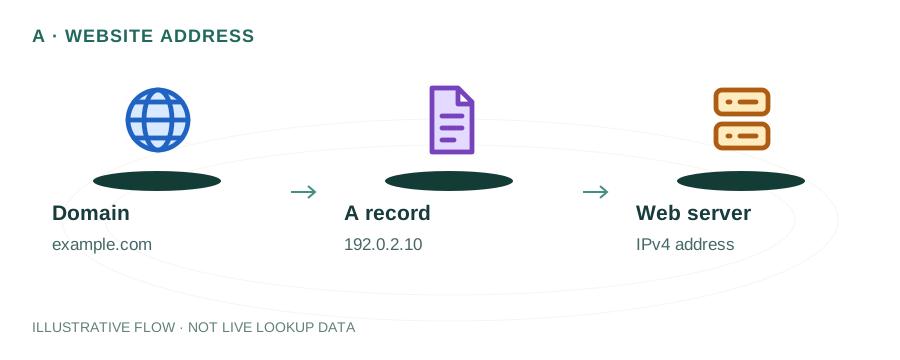
The named scenario below is a worked example for learning, not a verified incident report. Provider settings and outcomes vary.
DNS Round-Robin Distribution
Requests domain IP
Multiple A records found
IP 1 returned first
IP 2 on next query
IP 3 rotates in
Traffic distributed
🎯 Illustrative example: Deepak Balances Traffic Across 3 Servers
Deepak's app gets 50K daily visitors. He adds round-robin DNS to distribute load across 3 servers:
Creates 3 A records for app.deepak.com
A → 10.0.1.1, A → 10.0.1.2, A → 10.0.1.3 — all with same TTL of 60 seconds.
DNS rotates the order
Query 1 returns: 10.0.1.1, 10.0.1.2, 10.0.1.3. Query 2 returns: 10.0.1.2, 10.0.1.3, 10.0.1.1.
Traffic splits roughly 33/33/33
Each server handles about one-third of incoming requests.
Server 2 goes down!
DNS doesn't know Server 2 is dead — it keeps returning 10.0.1.2 in the rotation.
1/3 of users get errors
Round-robin has no health checks. Dead servers stay in rotation until manually removed.
Better option for critical apps
Use a load balancer (AWS ALB, Nginx) with health checks. DNS round-robin is OK for non-critical distribution.
Round-robin works well for distributing traffic when all servers are healthy.
No health checks = no automatic failover. Dead servers keep getting traffic.
What is DNS Round-Robin?
DNS round-robin is the simplest form of load balancing. Instead of pointing your domain to a single IP address, you create multiple A records for the same domain, each pointing to a different server. When a DNS query is made, the DNS server rotates the order of the returned IP addresses, distributing connections across all servers.
Example: Three A Records
example.com.  300  IN  A  192.0.2.1
example.com.  300  IN  A  192.0.2.2
example.com.  300  IN  A  192.0.2.3
Each query returns these IPs in a different order: 1→2→3, then 2→3→1, then 3→1→2, and so on.
How DNS Round-Robin Works
1. Multiple A Records
You configure 2 or more A records for the same hostname, each with a different IP address pointing to a different server.
2. DNS Server Rotates Order
The authoritative DNS server returns all IP addresses but cycles the order with each query. Most clients connect to the first IP in the list.
3. Traffic Distribution
Over many requests, traffic is distributed roughly equally across all servers. However, DNS caching can cause uneven distribution in practice.
4. No Health Checks
Standard DNS round-robin has no awareness of server health. If a server goes down, DNS continues to return its IP until the record is manually removed or TTL expires.
Pros and Cons
Advantages
- ✓ Zero cost — works with standard DNS
- ✓ Dead simple to set up
- ✓ No special hardware or software
- ✓ Works with any DNS provider
- ✓ Good enough for low-stakes distribution
Limitations
- ✗ No health checks — dead servers still get traffic
- ✗ DNS caching causes uneven distribution
- ✗ No session persistence (sticky sessions)
- ✗ Can't weight servers differently
- ✗ Not suitable for critical production workloads
How to Check DNS Round-Robin
Run these commands multiple times to see the IP order change:
Using dig
dig example.com A +short
Run this several times — if round-robin is active, the IP order will rotate.
Using nslookup
nslookup example.com
mydnsreport.com
Use our DNS Lookup tool to check how many A records a domain has — multiple IPs indicate round-robin is likely in use.
Better Alternatives for Production
| Method | Health Checks | Weighting | Best For |
|---|---|---|---|
| DNS Round-Robin | ❌ | ❌ | Dev/staging, simple distribution |
| Weighted DNS | ⚠️ Provider-dependent | ✅ | Gradual rollouts, capacity-based |
| GeoDNS | ✅ | ✅ | Global services, latency reduction |
| Load Balancer | ✅ | ✅ | Production apps (HAProxy, Nginx, ALB) |
| CDN | ✅ | ✅ | Static assets, global distribution |
Frequently Asked Questions
What is DNS round-robin?
A simple load-balancing method where multiple A records with different IPs are configured for one domain. DNS servers rotate the IP order in each response.
Is DNS round-robin true load balancing?
Not really — it distributes DNS queries but doesn't account for server health, capacity, or load. A down server still receives traffic until its record is removed.
What's the ideal TTL for round-robin records?
Use a low TTL (60-300 seconds) so clients re-query frequently and get fresh IP rotations. High TTLs cause clients to stick to one server for too long.
Related Articles & Tools
DNS TTL Explained
Choose the right TTL for your DNS records
How DNS Works
Step-by-step DNS resolution process
DNS Lookup Tool
Check A records and round-robin configuration
CNAME vs A Record
When to use each DNS record type