
What is DNS over HTTPS (DoH)? How It Works and Why It Matters
Understand what DNS over HTTPS encrypts, who still sees a query and how browser DNS settings can differ from system settings.
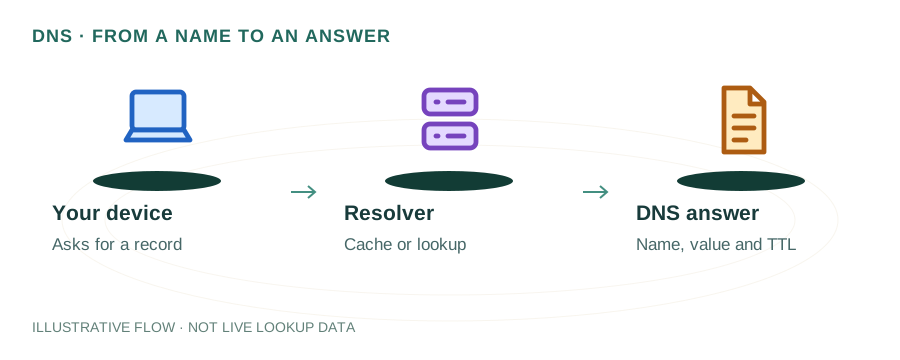
The named scenario below is a worked example for learning, not a verified incident report. Provider settings and outcomes vary.
DNS over HTTPS (DoH) Flow
DNS request initiated
Encrypted connection
e.g. 1.1.1.1/dns-query
Normal DNS process
Answer over HTTPS
ISP can't see query
🎯 Illustrative example: Suresh Enables DoH for Privacy
Suresh discovers his ISP can see every website he visits through DNS queries. He switches to DNS over HTTPS:
Current: DNS queries are plaintext
When Suresh types a URL, his browser sends an unencrypted DNS query to his ISP's resolver. ISP logs everything.
Enables DoH in Firefox
Settings → Privacy & Security → Enable DNS over HTTPS → Provider: Cloudflare (1.1.1.1).
DNS queries now go through HTTPS
Instead of UDP port 53 (plaintext), queries go to https://1.1.1.1/dns-query over encrypted HTTPS.
ISP can no longer see DNS queries
ISP sees encrypted HTTPS traffic to 1.1.1.1, but can't read which domains Suresh is looking up.
One limitation
ISP can still see the IP addresses he connects to (via SNI), but not the DNS queries themselves.
Privacy improved significantly
DNS queries are now encrypted end-to-end. No more ISP-level DNS logging of his browsing habits.
DoH encrypts DNS queries — ISP can't log which domains you look up.
Note: DoH doesn't hide everything. SNI (Server Name Indication) can still reveal domains until ECH is widespread.
What is DNS over HTTPS?
Traditional DNS sends queries in plain text over UDP port 53. Anyone on your network — your ISP, a coffee shop Wi-Fi operator, or an attacker — can see every domain you visit. DNS over HTTPS (DoH) solves this by encrypting DNS queries inside HTTPS connections on port 443.
Because DoH traffic looks identical to regular HTTPS web traffic, it's extremely difficult to block or filter, making it a powerful privacy tool. It was standardized in RFC 8484 (2018) and is now supported by all major browsers and operating systems.
How DoH Works
1. HTTPS Connection
Your browser or OS establishes a TLS-encrypted HTTPS connection to a DoH-compatible resolver (e.g., https://cloudflare-dns.com/dns-query).
2. DNS Query in HTTP
The DNS query is encoded as an HTTP GET or POST request with the content type application/dns-message. The query payload is the same DNS wire format, just wrapped in HTTPS.
3. Encrypted Response
The resolver processes the query normally and returns the DNS response inside the encrypted HTTPS response. No one between you and the resolver can read the query or response.
4. Cache & Connect
The resolved IP is cached locally (just like regular DNS) and your browser connects to the website. The entire process adds only 1-5ms of latency over traditional DNS.
DoH vs DoT vs Traditional DNS
| Feature | Traditional DNS | DoT (DNS over TLS) | DoH (DNS over HTTPS) |
|---|---|---|---|
| Protocol | UDP/TCP | TLS | HTTPS |
| Port | 53 | 853 | 443 |
| Encrypted | ❌ No | ✅ Yes | ✅ Yes |
| Blockable | Easy | Moderate (port 853) | Very hard (port 443) |
| Privacy | Low | High | Highest |
| Latency | Lowest | +2-5ms | +1-5ms |
How to Enable DNS over HTTPS
Google Chrome
Settings → Privacy and security → Security → Use secure DNS → Select provider (Cloudflare, Google, or custom).
Mozilla Firefox
Settings → Privacy & Security → scroll to DNS over HTTPS → Enable and select a provider. Firefox was the first browser to support DoH.
Windows 11
Settings → Network & internet → Wi-Fi/Ethernet → DNS server assignment → Edit → Set DNS to 1.1.1.1 or 8.8.8.8 → Select Encrypted only (DNS over HTTPS).
macOS / iOS
Install a DoH configuration profile from your provider (e.g., Cloudflare's 1.1.1.1 app) or use a DNS client that supports DoH natively.
Popular DoH Resolver Endpoints
Cloudflare: https://cloudflare-dns.com/dns-query
Google: https://dns.google/dns-query
Quad9: https://dns.quad9.net/dns-query
Pros and Cons of DoH
Benefits
- ✓ Prevents DNS snooping by ISPs and networks
- ✓ Blocks DNS spoofing and cache poisoning
- ✓ Hard to block (uses standard HTTPS port)
- ✓ Works in restrictive network environments
Drawbacks
- ✗ Centralizes DNS to fewer resolvers
- ✗ Bypasses corporate/parental DNS filtering
- ✗ Harder for admins to monitor DNS traffic
- ✗ Slight latency increase on first connection
Testing DoH
Using curl
curl -s -H 'accept: application/dns-json' 'https://cloudflare-dns.com/dns-query?name=example.com&type=A' | python3 -m json.tool
Verify DoH is active
Visit https://1.1.1.1/help (Cloudflare) or https://dns.google to check if your browser is using encrypted DNS.
Frequently Asked Questions
What is DNS over HTTPS?
A protocol that encrypts DNS queries by sending them over HTTPS, preventing network observers from seeing which domains you visit.
Does DoH slow down browsing?
Minimally. The initial TLS handshake adds 1-5ms, but subsequent queries reuse the connection. Many users see no noticeable difference.
Should I use DoH or DoT?
For personal privacy, DoH is generally better — it blends with HTTPS traffic and is harder to block. For enterprise networks where DNS visibility is needed, DoT on port 853 is easier to manage.
Related Articles & Tools
How DNS Works
Full DNS resolution process
DNSSEC Explained
DNS security with cryptographic signing
DNS Lookup Tool
Query any domain's DNS records
DNS TTL Explained
Choose the right cache duration